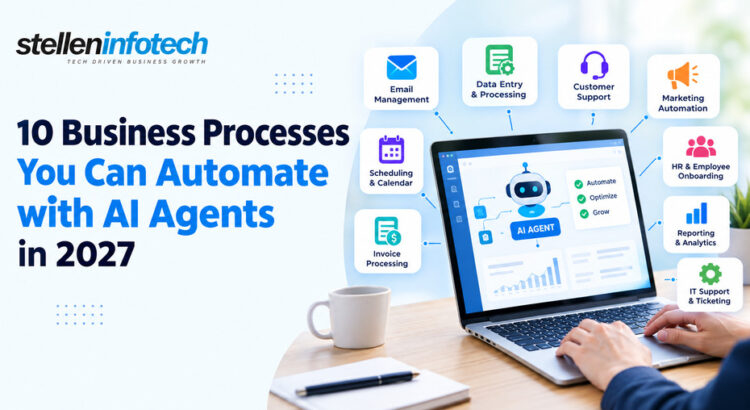
Imagine these scenarios: a lead who submits an application at night. No one responds until the next day. The invoice remains in the group email account for four days before someone sees it. A support ticket gets logged, then forgotten, until the customer writes in again, annoyed. None of this is really a tech problem. It’s the cost of running a business on manual handoffs and simple “if this happens, do that” rules.
For years, automation worked just like that. RPA copied clicks and moved data between systems. But it still followed a script, step by step. AI agents work differently. Give one a task and the right data. The technology can read difficult texts, make choices among different options, and complete the entire process independently. The concept of using AI to automate tasks is simple; AI should make decisions within the workflow rather than to transfer information.
For business owners, this means less manual work. Faster turnaround. Fewer repeat errors. And better use of your team’s time as the business grows, without hiring at the same pace. However, some tasks would not be best left to agents. AI agents deserve their roles in places where manual tasks are repetitive, rule-based, data-intensive, or distributed in unconnected systems. Let’s learn in the following blog how:
What Is AI Automation for Business?
Before we compare tools and workflows, it helps to see what’s actually new here and what automation has always done.
How AI Agents Differ from Traditional Automation
Old-style automation runs on fixed rules. RPA moves the data between systems, follows a script, and works faster without getting tired.
AI agents bring something new. Given the right data, an AI agent can:
- Read text that isn’t sitting in neat, tidy fields
- Pick the action that fits the case in front of it
- Move through several steps on its own, with no one pushing a button at each one
AI Automation vs. RPA: What’s Changing?
RPA still makes sense for a lot of back-office work. It’s cheap to build, steady, and it’s easy to check.
AI agents go further where the work needs judgment. Reading a support email to see what a customer wants. Deciding if an invoice looks off enough to flag. Summing up a sales call and pulling out the next step.
The two aren’t really rivals. Most firms get more value by using both. RPA handles the mechanical parts of a workflow. An AI agent sits where a call needs to be made, decides what happens next, and hands the routine steps back to RPA.
Why AI Agent Adoption Matters for Founders in 2027
The reasons founders care about this now aren’t hard to see.
- More scale. Handle more leads, tickets, and orders without adding staff at the same rate.
- Faster replies. A lead or support request gets a first reply in minutes, not hours.
- Less office work. Less time on data entry, status updates, and chasing approvals.
- Steadier processes. The same rules get used the same way, whether it’s 9 am on Monday or midnight on a Saturday.
- Better use of staff time. People spend more time on judgment calls and clients, and less on busywork.
This is also where business process automation AI tends to pay off first. It’s the daily grind work that eats hours but adds little strategic value on its own.
10 Business Processes You Can Automate with AI Agents
Some of these are already common automation targets. Others become truly useful only once an AI agent, not just a script, runs them.
1. Lead Qualification and Routing
- Generate leads from your website, form, ads, and other sources in a single feed.
- An AI agent analyzes the lead information and recognizes the lead’s intent, such as search terms used or the page where the form was filled.
- It adds additional information and ranks the lead according to your criteria.
- It routes the lead to the right person depending on the region, deal value, or field.
- It triggers a follow-up action in your CRM software, which may include an email, a task, or a calendar reminder.
Example Workflow
New lead → AI checks lead → Checks CRM → Scores lead → Assigns salesperson → Sends follow-up
2. Customer Support and Ticket Management
- Sorts new requests by topic and urgency.
- Flags issues that need quick attention.
- Searches your help articles for the right answer.
- Drafts or sends a reply for routine questions.
- Opens and updates tickets on its own.
- Sends hard or sensitive cases to a person.
Where Human Approval Still Matters
Some things shouldn’t go to an agent, no matter how good it is:
- Refunds
- Sensitive complaints
- Account changes
- High-value customers
- Complex technical issues
3. Invoice Processing and Accounts Payable
- Pulls in invoices that arrive by email or get uploaded by hand.
- Pulls out the invoice details: amount, vendor, line items, due date.
- Checks the invoice against the original purchase order.
- Flags a copy or odd invoice before it gets paid.
- Sends approval to the right person, based on the amount or the team.
- Updates the accounting system once it’s approved.
- Tells finance about anything that doesn’t fit the pattern.
Business Impact
- Less manual data entry
- Faster invoice turnaround
- Fewer mistakes
- Better view of what’s still unpaid
4. Sales Follow-Ups and CRM Updates
- Tracks sales activity across calls, emails, and meetings.
- Spots leads that have gone quiet and need a nudge.
- Drafts a real, personal note instead of a stock template.
- Updates CRM records so a rep doesn’t have to.
- Sums up calls and logs the notes against the deal.
- Creates follow-up tasks and warns a manager when a deal stalls.
Example CRM Automation
Sales call → AI sums up call → Updates CRM → Finds next step → Creates task → Drafts follow-up
5. Employee Onboarding and HR Administration
- Sends onboarding forms and gathers the details HR needs.
- Sets up accounts and system access.
- Books onboarding sessions across teams.
- Answers common questions new hires ask in their first week.
- Tracks which onboarding steps are done and which aren’t.
- Flags HR when something is missing or overdue.
What AI Agents Can Handle vs. HR Teams
| Office work (AI agent) | Calls that need judgment (HR team) |
| Sending forms and reminders | Handling a sensitive personal issue |
| Setting up system accounts | Deciding on pay or role changes |
| Booking sessions | Managing a performance issue |
| Tracking task progress | Sorting out a workplace conflict |
6. Meeting Management and Internal Communication
- Books meetings around everyone’s calendar.
- Builds an agenda from the topic and past talks.
- Pulls together the right documents ahead of time.
- Sums up what got decided in earlier meetings.
- Writes meeting notes and pulls out action items.
- Assigns tasks and sends reminders as due dates near.
An AI agent could read through the document and determine who will do what job and when, and then integrate these jobs into your task management tool. This saves you the trouble of retyping the notes into your task list manually.
7. Procurement and Vendor Management
- Watches new buying requests as they come in.
- Gathers vendor details and price quotes.
- Compares prices and terms across vendors.
- Checks that the right papers are in place.
- Sends the request out for approval.
- Tracks the order through to delivery.
- Follows up with vendors on delays.
- Flags pricing or paperwork that looks off.
8. Marketing Operations and Content Workflows
- Pulls data from campaigns running across channels.
- Tracks results and builds report summaries.
- Sorts incoming content requests.
- Moves approved content between tools, like a CMS and an email platform.
- Sets off email or CRM steps based on campaign activity.
- Flags leads that need a marketing nudge before sales gets involved.
Where AI Should Assist, Not Fully Automate
- Brand strategy
- Positioning
- Creative direction
- Sensitive messages
- Final campaign calls
9. Data Collection, Reporting, and Business Intelligence
- Pulls data from CRM, finance, marketing, and ops systems.
- Cleans and sorts it into something usable.
- Builds recurring reports on a set schedule.
- Explains odd shifts, instead of just flagging a number that moved.
- Sends alerts when key numbers move outside a set range.
- Preps summaries for leadership meetings.
From Raw Data to Executive Insight
Multiple systems → AI agent gathers data → Checks the shifts → Builds a summary → Sends the report → Flags issues
10. Order Management and Customer Operations
- Captures new orders as they come in.
- Checks customer and product details for errors.
- Checks stock before it confirms the order.
- Updates order systems and tells the customer.
- Watches for orders running late.
- Sends odd cases to the right team.
Workflow Automation Examples: How AI Agents Work Across Departments
Seeing a process broken into steps is useful. Seeing how it moves between teams is where the value gets clear.
Example 1: Marketing → Sales
Lead arrives → AI qualifies → CRM updated → Sales rep assigned → Follow-up triggered
Example 2: Customer Support → Operations
Customer request → AI sorts it → Checks details → Creates task → Escalates if needed
Example 3: Finance → Management
Invoice received → AI pulls out data → Checks rules → Requests approval → Updates finance system
Example 4: HR → IT
New employee → HR system updated → AI sets up accounts → Sends onboarding info → Tracks progress
How AI Agents Connect with Your Existing Business Systems
None of this works on its own. An agent is only as useful as the systems it can reach into.
CRM Automation
Most AI agents plug straight into the CRM tools businesses already run: Salesforce, HubSpot, and others. They read and update records without anyone doing it by hand. This is usually where CRM automation adds the most value, right away. Fewer manual updates. Actions fire the moment something changes, instead of whenever someone remembers to check.
n8n Automation
n8n has become a common way to link different apps and build multi-step workflows, without starting from scratch on custom code. It works well for pairing plain automation steps with an AI agent that handles the parts that need judgment. You’re not picking one over the other.
Zapier Alternative: When Businesses Need More Flexible Automation
Zapier is a fine starting point for simple, one-path integrations. It gets harder to justify once a workflow needs branching logic, custom rules, or the kind of control that comes from hosting it yourself. That’s usually when businesses start looking at a Zapier alternative such as n8n. Not because Zapier is bad, but because the workflow has outgrown a simple tool.
If your business’s existing systems do not offer an effortless plug-and-play interface, this frequently moves from being a tool problem to a build problem. This is where companies like Stellen Infotech come in. We provide customized interfaces to link different systems and keep a process together.
AI Agents vs. RPA vs. Traditional Workflow Automation
It helps to see these three side by side. Not to write one off, but to see where each one still earns its place.
| Capability | Traditional Automation | RPA | AI Agents |
| Rule-based tasks | ✓ | ✓ | ✓ |
| Repetitive data entry | ✓ | ✓ | ✓ |
| Understands unstructured information | Limited | Limited | ✓ |
| Makes context-based decisions | Limited | Limited | ✓ |
| Multi-step workflows | ✓ | ✓ | ✓ |
| Handles exceptions | Limited | Limited | Stronger |
| Human approval | ✓ | ✓ | ✓ |
None of these tools replace the others. Old-style automation and RPA still handle a large share of steady, high-volume work, cheaply and well. AI agents earn their place where the old rule-based way runs out of rules.
How to Decide Which Business Process to Automate First
Not every process is worth automating first. Picking the wrong one is a common way automation plans lose steam early on.
Look for High-Volume Tasks
Start with work your team does every day, not once a quarter. The more a task repeats, the faster automation pays back the time it took to build.
Find Processes with Clear Rules
Look for clear inputs, set actions, and results you can track. If three staff would handle the same case three different ways, fix the process first. Automate it after.
Prioritize Processes with Expensive Delays
- Slow lead replies
- Delayed approvals
- Support backlogs
- Manual reports
These are the spots where a delay costs you sales, trust, or someone’s evening spent catching up.
Avoid Automating Broken Processes
If you automate a bad system, it simply fails much more quickly. Fix the workflow first. Cut the steps that add no value. Then bring in AI automation.
How to Start with AI Automation for Business in 2027
None of this needs a full overhaul on day one. It works better in stages.
Step 1: Map Your Current Processes
Write down who does what, where data moves between systems, and where the delays are. Most firms find the real bottleneck isn’t where they thought it was.
Step 2: Pick One High-Value Workflow
Fight the urge to automate everything at once. One process, done well, teaches you more than five done poorly at the same time.
Step 3: Connect the Required Systems
This usually means your CRM, ERP, help desk, email, databases, and whatever chat or comms tools your team uses each day.
Step 4: Add Human Approval Where Needed
Add checkpoints for anything sensitive: refunds, account changes, odd pricing. Any spot where a bad call has real costs.
Step 5: Measure the Results
Compare the new version of the process against the old one, using the numbers you set out to track. If those numbers haven’t moved, dig into why before you scale it up.
Step 6: Expand What Works
Once one workflow proves its worth, use the same steps on the next team. Map it. Pick one high-value step. Link the systems. Add approval points. Track the results.
Final Thoughts
AI automation for business is moving past basic task automation, the kind that just clicks buttons faster. The bigger prize isn’t a few saved clicks. It’s a rethink of how work actually moves through a company, and which parts still need a person’s judgment.
Founders who get the most out of this don’t automate everything at once. They pick one process where automation gives a real, measurable result, watch what happens, and use what they learn before touching the next one.
If your team is past the stage of linking a few simple triggers, and needs an automation layer built around the systems you already run, that’s worth a talk with a development partner who builds inside your stack, not around it. Stellen Infotech works this way: building automation and links around what a business already has, not around a template.
Which repeat task would you automate first if your team got those hours back each week?