Most LLM buying decisions are made prematurely. One person within the group likes one particular LLM, there is an excellent demonstration from the vendor, and a week later, the decision is made. Then the pilot starts, and the model that looked brilliant in a demo struggles with your actual documents.
Being the most popular one doesn’t mean being the best LLM to use for business purposes. It all depends on how well it performs within your workload and how affordable it is to continue using it. This comparative review of ChatGPT vs. Claude vs. Gemini has been put together with this in mind.
Why LLM Selection Matters for Business AI Applications
These will have an impact on you for years to come, based on your AI model choice: quality of answers, operating cost, and scalability of the product.
The LLM is within your system and is doing the language-heavy lifting. It’s reading, writing, classifying, summarizing, deciding what tool to use next, etc. If it’s not getting it right, the users know. If it’s too costly, then finance knows. If it’s slow, then everyone knows. You can change out your model, but your prompts, tests, and guardrails are typically written for a specific model.
Where Businesses Are Using LLMs Today
Customer support assistants and conversational interfaces
Document processing, summarization, and knowledge retrieval
Code generation, software development, and testing
Workflow automation and AI agents using business software
Enterprise search and internal knowledge assistants
What CTOs Should Evaluate Before Choosing a Model
Start from the application, not from the brand. A model that writes good marketing copy may still fumble a messy invoice, and one that’s great at code may be overkill for a simple FAQ bot.
Five questions usually settle most of it:
How accurate and consistent is it on your real tasks?
Which input formats and context sizes does it support?
What do API latency and throughput look like under load?
How hard is the integration, and what will it cost to run?
Do the security and data terms satisfy your governance team?
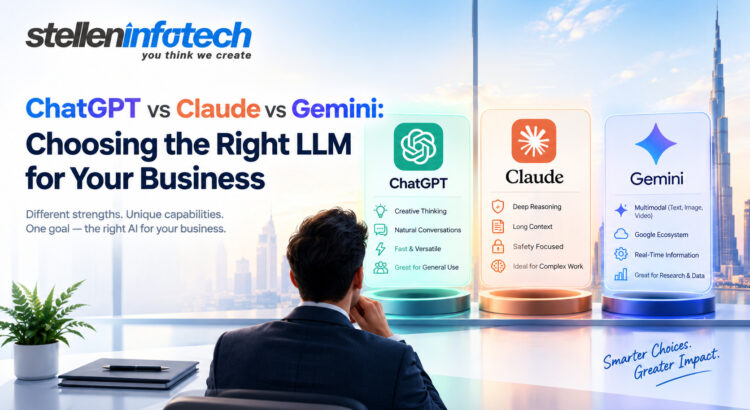
Comparing ChatGPT, Claude, and Gemini: The Three LLM Platforms
All three companies sell a chat app, a developer API, and several model families. People blur these together, and that causes trouble.
A ChatGPT subscription is not the OpenAI API. The same split exists for Claude and Gemini. Your staff uses the apps, while your software calls the APIs. Pricing, data terms, and controls can differ between the two, so don’t judge one by the other.
OpenAI and ChatGPT: General Intelligence and Application Creation
The OpenAI models power ChatGPT and the OpenAI API. They are used by developers for applications involving conversation, structure, tools, programming, and processes, including both text and imagery. While GPT-4 is still the general term that many people refer to, there have been new changes since then. Check out what is available currently before trying anything out.
Integration is rather simple to understand. The prompt will be sent by your backend, and text or structured data will be returned by it.
Anthropic Claude: Document Work, Reasoning, and Coding
Claude gets a lot of attention for long-document analysis, writing, coding, and tasks with detailed instructions. The Claude API lets teams build it into custom applications and AI workflows.
Reputation is just a beginning, but not the proof itself. Try it out on your files and see if it refers to your software every time, not just most of the time.
Google Gemini: Multimodal AI and Google Ecosystem Integration
Gemini works with text, images, and other supported input types, and developers reach it through the Gemini API. It’s an obvious candidate if your data and infrastructure already sit in Google Cloud or other Google services. Whether it’s the best choice depends on the integration path you pick.
ChatGPT vs Claude vs Gemini: Key Differences Compared
Here’s the quick view. Notice how many cells depend on the specific model, because that’s the honest answer.
Names, limits, and prices change often. Confirm them in each provider’s official documentation before you decide.
Context Windows, Performance, and Model Selection
A large context window sounds like a shortcut. Drop in every contract you own and let the model find the answer. In practice, a bigger window doesn’t guarantee better recall. Details buried deep in a long prompt can still get missed.
Several things shape the result. Prompt design matters. Output limits matter, since a model may read a great deal but write back only so much. Task difficulty matters too. Most businesses would benefit from RAG systems, which would search for the relevant information before passing it to the users; having a small window but with successful retrieval is better than having a big window filled with irrelevant text.
OpenAI versus Anthropic versus Google: What Does the Comparison Mean?
A search on the web for “openai vs anthropic” clearly implies a competition between two chatbots. The real comparison is bigger. You’re weighing model families, APIs, developer tools, cloud options, and enterprise terms, and all of them shift every few months. A ranking that’s true today may look dated by next quarter. Your own test results will last longer than any headline comparison.
APIs, Integrations, and Development Requirements
Choosing a model takes an afternoon. Building, securing, and maintaining the application around it takes much longer.
OpenAI API and GPT-4 Models
Developers pick a model, set up authentication, define the response format, enable tool calling, and write the orchestration code. The error many people make is to think all variants of GPT-4 are identical. They don’t. Choose from the available models using benchmarks and your own task requirements.
Claude API for Business Applications
The Claude API works through message exchanges and supports tool use, so it can plug into services you already run. Prompt design matters here, and so does validation. If the model returns a malformed answer, your code should catch it before a customer sees it. Error handling then decides whether to retry, fall back, or hand off to a person.
Gemini API and Google Cloud Integration
The Gemini API accepts supported multimodal inputs, which helps when your data includes scans or screenshots. Calling the API directly is different from using a managed enterprise deployment on Google Cloud. The controls, billing, and governance options aren’t the same, so settle that question early.
What Every LLM Integration Needs
Whichever provider you choose, a production setup needs the same foundation:
A secure backend with careful API key management
Prompt templates, output validation, and guardrails
RAG or approved data connectors where needed
Logging, monitoring, retries, and rate-limit handling
Evaluation datasets and human review for high-impact decisions
Pricing, Enterprise Security, and Data Privacy
Token price is the number everyone quotes. It’s rarely the number that surprises you later.
Comparison of API Pricing and Total Cost of Ownership
First, compare the prices for input/output tokens, where output tokens are always more expensive. Compare different model tiers; a smaller tier can do simpler tasks much more cheaply. Use prompt caching and batching if it is possible to reduce the price of redundant requests and non-urgent work.
Afterwards, count everything that is not included in the bill: the costs of retrieval systems, hosting infrastructure, observability tools, additional tries, and human hours of review. Rate limiting, latency, and commitment are also important factors, as they determine if your system is going to withstand peak traffic.
Enterprise Security and Data Governance
Ask every vendor the same questions. Do they retain submitted data, and can it be used to improve their models? What encryption and access controls exist? Can you control where data is processed? What do the contracts promise, and what audit and compliance material will they share for your vendor risk review?
Here’s the point teams often miss. Consumer chat privacy settings and enterprise API data terms are not the same thing. Read the terms for the exact product and plan you’ll deploy, not the ones attached to the app your team already uses.
Which LLM Performs Best for Different Business Use Cases?
Nobody can answer this from the outside. Treat what follows as starting hypotheses, and let your own evaluation data confirm or overturn them.
For AI Customer Support and Knowledge Assistants
Test retrieval accuracy first. Then ask the same question multiple times and observe whether the response is consistently the same. See how the model handles not knowing, because an accurate transition to a human is better than a guess. Check how well it works with your approved knowledge sources too.
For Coding and Software Development
Consider problems such as correctness, debugging, repository understanding, and testing. One measure people overlook is review time. If developers spend as long checking the output as they would writing the code, the gain disappears.
For Document-Heavy and Multimodal Workflows
Use your real documents, including the ugly ones with odd layouts and scanned pages. Measure extraction accuracy and long-document retrieval. If images matter, confirm which input types each model supports.
For AI Agents and Workflow Automation
Agents are the hardest case. Test tool selection, structured output reliability, and multi-step completion. Then break things on purpose and see how the model recovers. Permission controls matter most here, because an agent acting on a wrong assumption can do real damage.
How to Select the Most Appropriate LLM for Your Business
You don’t need a complicated process. You need one your team will actually repeat.
Step 1: Define the Business Outcome
Name the workflow and the result you expect. Decide what error rate you can accept and how you’ll measure success. “Better support” isn’t a metric. “Resolve a certain number of tickets with no human intervention” comes close.
Step 2: Test the Leading Models on the Same Tasks
Use representative prompts and real data, or anonymized data where safe to use. Evaluate all models using the same criteria, and make your evaluations reproducible to allow rerunning them when new models come out.
Step 3: Quality, Cost, Latency, and Risk Tradeoff
Evaluate the full cost per completed task, not only the price list. A model that fails tasks more often will have a higher total cost per completed task, even if its price list looks smaller.
Step 4: Conduct a Controlled Pilot
Route actual tasks into a limited roll-out. Examine the failures, verify the security and determine ahead of time what to do if the model cannot complete the task.
The basic idea here is clear: pick the model that provides the best possible outcome within your constraints.
How Stellen Infotech Helps Businesses Integrate the Right LLM
Comparing models is one job. Turning the winner into dependable software is another, and that’s where many AI projects slow down.
From LLM Selection to Production-Ready AI Applications
Stellen Infotech collaborates with companies from the software end of AI. Stellen’s development experts will analyze your processes and pick the right models for you, and then create the API integrations to make your LLM work with your existing software applications. They will help you build your AI assistants, automation workflows, and agent applications. Even after launch, there is more work ahead, including performance testing and cost management.
Final Verdict: Which LLM Should Your Business Choose?
No provider wins every use case. Good performance is a result of using an appropriate model for the task and proving its appropriateness with the data.
Quick Recommendations Based on Business Needs
General purpose AI applications: Prioritize OpenAI, Claude, and Gemini and then select based on task requirements and integration considerations.
Document-heavy workloads: Consider Claude and other models in competition using documents and retrieval tests.
Google platform and multimodal requirements: Test Gemini against your own data formats and deployment environment.
AI assistants and automation: Benchmark tool use reliability, structured outputs, error handling, and security.
Cost-sensitive applications: Benchmark smaller and larger models to find the lowest cost per successful outcome.
If the model choice is what’s holding your project back, run the test before you run the debate. And if you want help building around the result, talk to Stellen Infotech about your AI application requirements.
The chatbot on most company websites can tell you the returns policy. Ask it to actually start a return, though, and you’ll usually get a link to a form. AI agents close that gap between answering and doing. An agent reads the request, works out the steps, uses your tools to carry them out, and updates the records when it’s done.
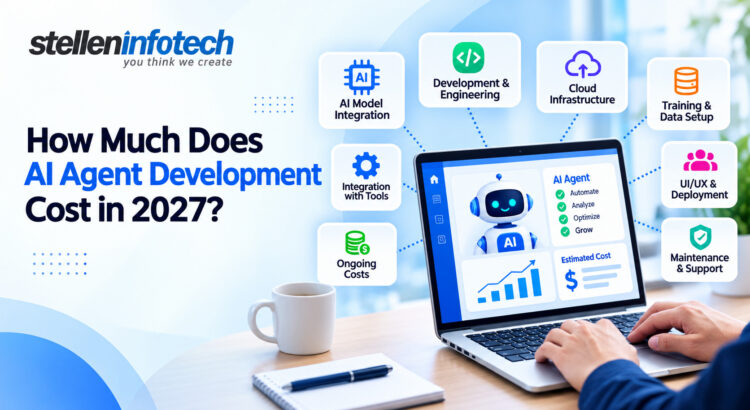
So the question on founders’ and CFOs’ desks has shifted from “should we try AI?” to something more pragmatic: How much will we pay for constructing an AI agent and maintaining its operations?
Nobody can give you one honest number without knowing more. AI agent development cost depends on how complex the agent is, which model it runs on and how heavily, how many of your systems it touches, how far it’s customized, what security rules apply, and who maintains it after launch. What we can do is show how each of those moves the price, with realistic ranges, timelines, running costs, and a way to test the ROI before you sign anything.
Cost of Developing an AI Agent in 2027: What Would It Be?
Averages hide too much here, so it helps to think in three bands. Where a project lands depends mostly on how much the agent is trusted to do without a person checking its work.
AI agent type
Typical cost range
Development timeline
Basic
15,000–40,000
4–8 weeks
Intermediate
40,000–120,000
8–16 weeks
Advanced
120,000–400,000+
4–9 months
These are planning figures for 2027 budgets, based on what development firms were quoting through 2026. Offshore teams can come in below them, and regulated work in healthcare or financial services usually comes in above.
Basic AI Agents
A basic agent answers customer questions from your help center, product guides, and policies, in plain language and at any hour. When it can’t help, it collects contact details and passes the conversation to your team. It typically connects to one system or none, which keeps both the build and the risk small. For most companies, this is the right shape for an MVP AI agent, because it shows what customers actually ask before you invest in anything bigger.
Intermediate AI Agents
At this tier, the agent starts doing work instead of describing it. A sales agent might qualify an inbound lead, find a free slot on a rep’s calendar, book the demo, and log the whole exchange in HubSpot or Salesforce. A support agent might open and update Zendesk tickets on its own. It also keeps context through a conversation and, in some setups, across visits.
Expect most of the extra spend to go on integration work rather than the AI itself, since every system the agent can write to needs access controls, error handling, and testing.
Advanced AI Agents
Advanced agents handle multi-step processes with little human involvement, often as a small team of specialized agents. In accounts payable, for instance, one agent reads incoming invoices, a second matches them against purchase orders in the ERP, and a third routes exceptions to someone in finance. These systems run at high volume and make decisions in real time.
A large share of the budget at this level goes on things a demo never shows: role-based permissions, audit logs, live monitoring, and a fallback plan for failures. Without them, no finance team should let an agent near real money.
What Factors Affect AI Agent Development Cost?
1. AI Agent Complexity
Scope drives cost more than anything else, and it tends to grow once work starts. An agent that answers order-status questions is a modest project. Ask it to handle returns, refunds, and exchanges too, and you’ve multiplied the rules to design and the cases to test.
Autonomy matters just as much. An agent that drafts a refund for a person to approve is a far smaller build than one allowed to issue it. Hard decisions add cost as well. Picking between two clear options is simple, but weighing policy, purchase history, and stock levels in one step is not. Moving from one agent to several specialized ones adds power, along with the work of building, testing, and coordinating each one.
2. Customization Requirements
Ready-made AI systems are cheaper since the development cost has already been borne by some other person. You use the system as it is.
A custom agent is shaped around your business. That might mean your discount and approval rules, your brand voice, your industry’s workflows, a knowledge base built from your own documents, dashboards for reviewing chats, and firm limits on what it may say or must pass to a person. Each one takes design and testing time. In return, you get software that matches how your team already works, which matters more than it sounds once hundreds of chats a day flow through it.
3. Integrations and Third-Party Systems
Budgets slip here more than anywhere else. A working agent may need to connect to your CRM, ERP, helpdesk, payment processor, HR platform, email and Slack, internal databases, outside APIs, and single sign-on. Each link needs secure access, data mapping, error handling, and testing against the live system. A modern, well-documented API is quick to connect. A decade-old internal tool with patchy documentation can take weeks. We’d recommend scoping the AI integration work before agreeing on any budget.
The deciding question is whether the agent only answers questions or also acts inside your tech stack. An agent that reads a knowledge base can be live within weeks. One that updates orders in an ERP and issues refunds through a payment provider is a different class of project, priced to match.
AI Model and API Costs: What Will You Actually Pay For?
Development is paid once. The AI usage bill arrives every month, and it rises with every extra conversation.
Most agents use a model from OpenAI, Anthropic, Google, or a similar provider, and you pay for what you use. The main line items are:
Input and output tokens. Providers charge per token, which is roughly three-quarters of a word. The customer pays for the input (instructions, documentation, and chat logs) and the output. Output is usually priced several times higher.
Reasoning tokens. Many newer models think through a problem before they reply. That hidden thinking is billed as output.
Embeddings and vector databases. Your documents are turned into numbers and stored in a vector database so the agent can search them. Hosting that database is a monthly fee.
Speech and image APIs. Voice agents pay by the minute to turn speech into text and back. Agents that read photos or scanned forms pay for image processing.
Rates vary a lot. In September 2026, flagship models were listed at about $2 to $10 per million input tokens. The cheapest cost a few cents.
Volume is what turns small numbers into a real budget line. Take a support agent on a model priced at $2 per million input tokens and $10 per million output tokens. Say an average conversation, with the several model calls that happen behind the scenes, uses 40,000 input tokens and 3,000 output tokens. Each conversation then costs about 11 cents.
Conversations per month
Estimated model cost per month
5,000
$550
20,000
$2,200
100,000
11,000
Double the average conversation length and the bill roughly doubles. Design choices pull it back. Caching can cut the cost of repeated input by up to 90%, and batch work that isn’t urgent often runs at about half price.
Building or fine-tuning your own model is rarely worth it at the start. You’d pay for data preparation, GPU time, and specialist staff, then keep the model current yourself. Hosting an open-weight model on your own servers can make sense at very high volume, or when data must stay on your network. Even then, you’re trading API fees for servers and the people who run them.
For 2027 budgets, also check whether a running-cost estimate relies on a launch discount. At least one major provider has set a newer model’s introductory rate to double on January 1, 2027. It’s one more reason to treat AI automation pricing as a monthly expense that needs as much scrutiny as the build.
How Much Does It Cost to Build an AI Chatbot vs. an AI Agent?
The two terms get swapped freely in sales calls. They describe different products, though, and the prices differ a lot.
AI Chatbot
A chatbot answers questions. It follows set flows or pulls facts from a knowledge base, and it rarely changes data in other systems, so it’s simpler to build, test, and maintain. Setting one up on an existing platform may cost little beyond setup and a monthly fee. A custom chatbot built on your own content usually falls between $10,000 and $40,000.
AI Agent
An agent works toward a goal. Told “these shoes don’t fit,” it can look up the order, create a return label, update the CRM record, and email the customer with no one stepping in. To do that, it has to understand the goal, choose the steps, and use tools and APIs to carry them out. Each of those actions needs permissions, safeguards, and testing for the times something fails, and that is what drives the higher price.
So looking up the cost to build an AI chatbot can give you a number that’s far too low if what you need is a whole process handled end to end. The opposite mistake happens too. If your customers mostly want quick, accurate answers, focused AI chatbot development will likely serve them well, and agent features would be wasted spend.
MVP AI Agent Cost: Is Starting Small the Smarter Option?
In most cases, yes. A limited initial deployment will allow you to verify that the agent does indeed work, without investing a large sum upfront.
An MVP (minimum viable product) exists to answer a few questions cheaply. Do people use the agent? Does it get the task right? Does it save the time you expected? It works best with one workflow that has steady volume and a cost you can measure. Good examples include common support questions, website lead qualification, appointment booking, internal HR or IT questions, and follow-ups after sales demos.
Keeping the scope small shouldn’t mean cutting corners. A credible MVP still needs:
The core AI capability for that one workflow
One or two integrations, typically a CRM or calendar
Basic analytics on volume, resolution rate, and handoffs
Login and security controls
A reliable route to a human when the agent is unsure
The majority of MVPs exist in the basic category or the low part of intermediate. The more valuable output is data. After a few months, you’ll have real usage figures, a real API bill, and a measured drop in workload. That makes the case for the next phase much easier to build and defend.
Timeline of AI Agent Development: How Long Does It Take?
The more systems, rules, and approvals a project involves, the longer it takes to get from kickoff to launch.
Basic AI Agent: 4–8 Weeks
This covers requirements, AI setup, the knowledge base, a simple chat window, testing with real customer questions, and launch. The knowledge base often takes longer than planned, because help content tends to be out of date or spread across several tools.
Intermediate AI Agent: 8–16 Weeks
The first weeks go into workflow design, mapping each step, decision, and exception. Then each integration is built and tested in turn, and security controls are added. The project ends with user acceptance testing, where your own staff tries to break the agent before customers see it.
Advanced AI Agent: 4–9 Months
These projects begin with architecture, which is how the agents split the work and share data and access. Next come several integrations, complex workflows, security and compliance review, and a lot of testing. After launch, expect a stretch of monitoring and tuning. Internal approvals for security and vendor contracts can add weeks on their own.
Since most of the budget pays for people’s time, a longer timeline usually costs more. Length is not a sign of quality, though. We prefer an eight-week schedule that delivers something usable over a six-month schedule that doesn’t have anything useful to offer until the fifth month.
AI Agent Development Cost vs. Ongoing Maintenance Cost
Build quotes get most of the attention. Running costs decide whether the agent still makes sense in year two and year three.
Initial Development Costs
The one-time expenses include the following:
Discovery & Requirements
UX & Workflow Design
Development of AI (prompts, search, logic & guardrails)
Backend
Integration
Testing & Deployment
Ongoing Costs
After launch, you keep paying for AI and API usage, cloud hosting, and monitoring of accuracy, errors, and spend. Add security updates, bug fixes, speed tuning, and the odd new integration or feature as the business changes. Model changes need their own budget line. Providers retire models on their own schedule, and a new one may behave differently enough that you have to test again.
A fair planning figure is 15–25% of the build cost per year for upkeep, before usage fees.
This is why CFOs should look at total cost of ownership. Take two made-up proposals. Agent A costs $40,000 to build and $4,000 a month to run. Agent B costs $90,000 to build and $1,500 a month. Over three years, A costs $184,000 and B costs $144,000, so the lower build quote ends up $40,000 more expensive.
How Customization Changes AI Agent Pricing
Cost rises at each step from generic to configured to custom to enterprise-grade. Each step adds more design, build, and test work, and the price follows.
Level
What it means
Effect on cost
Generic
An off-the-shelf AI tool, used as it is
Lowest upfront cost, a monthly fee, little control
Configured
The same tool set up with your content, tone, and basic rules
Low setup cost, with limits on logic and integrations
Custom
An agent built around your workflows, data, and systems
Mid to high build cost, full control over behavior
Enterprise-grade
A custom agent with strict security, compliance, and uptime needs
Highest build and upkeep cost
In custom and enterprise builds, a few groups of needs push the price up most. The first is workflow and data work, such as workflows with many exceptions and private data that has to be cleaned, sorted, and kept safe. The second is the rules around the agent: industry rules, separate access rights for each type of user, security and compliance reviews, and custom reports for managers and finance. The third is scale. That covers staying online when traffic spikes, support for several languages (each one tested), and complex links to older or poorly documented systems.
Our advice is to pick the lowest level that solves the problem, then add enterprise features once the workflow has proved its value.
A Simple Framework to Estimate AI Agent Development Cost
A rough estimate is easier to build than most people expect, and it gives you something solid to hold vendor quotes against.
If a quote leaves out one of these parts, ask about it. Maintenance and API usage are the easiest to miss, because they only show up after launch.
Sample AI Agent Cost Estimate
The figures below are made up for illustration. They price an intermediate support agent that answers customer questions, looks up orders in a helpdesk, and logs new leads in a CRM.
Cost component
Estimated cost
Discovery and planning
$6,000
AI agent development
$22,000
UI and backend development
12,000
Integrations (helpdesk and CRM)
$14,000
Testing and deployment
$8,000
Initial AI/API budget (first three months)
$3,000
Estimated initial investment
$65,000
Monthly costs sit outside this total. For this agent, they would cover model usage, hosting, monitoring, and a few hours of support. We’ll call it about $3,000 a month for the example. Your own number should come from expected conversation volume, using the token math from the model cost section.
How to Calculate the ROI of AI Automation
The more useful question for a CFO is what the agent will save or earn, and how quickly that covers the investment.
Calculate the Current Cost of the Manual Process
Start with the cost of the work if done manually. That includes staff hours and ticket or chat volume, along with less visible costs: repetitive activities, slow reaction times, cold leads, work requiring corrections, and off-hour inquiries that must wait until the next day. Get these numbers from your helpdesk, CRM, and payroll records whenever possible, because it is difficult to back up your guesses with facts during a budget discussion.
Estimate the Financial Impact
The usual benefits are lower labor costs, faster responses, better lead conversion, extra sales capacity without new hires, lower support costs, fewer errors, and 24/7 availability. Some of these, like faster responses, are hard to put a dollar value on, so it’s sensible to count only what you can measure and treat the rest as upside.
Why Businesses Choose Stellen Infotech for AI Agent Development
In our case, the agent project begins with the workflow that needs to be improved. The choice of model comes later.
Stellen Infotech designs and builds custom AI agents around how your business really runs, using your data and aiming at the result you need. We work with OpenAI, Claude, and Gemini models. We connect agents to the systems you already use, such as your CRM, ERP, and WhatsApp, and keep a person in the loop wherever you want one.
Projects can start as a focused MVP and grow into larger multi-agent systems once the results justify it. We’ve built custom software since 2011, so our team handles the backend, integrations, launch, and tuning after launch, as well as the AI layer. Success is judged by time and money saved.
AI Agent Development Cost Checklist for Businesses
Clear answers to the questions below make vendor quotes far more precise. Vague ones produce wide ranges and, later on, change orders.
Before requesting a quote, decide:
What problem will the AI agent solve?
Which tasks should it automate?
How much autonomy should it have?
Who will use it?
Which systems must it connect to?
Which AI model or API will it use?
What data will it access?
What security requirements apply?
What monthly user or message volume do you expect?
What should the MVP include?
What is the expected timeline?
What will ongoing maintenance cost?
How will you measure ROI?
What payback period would you accept?
Final Takeaway: Don’t Choose an AI Agent Based on Price Alone
AI agent development cost varies so widely because every business brings different workflows, integrations, data, and goals to the project. The lowest bid may not automate anything meaningful, and the highest may include capabilities you’ll never use.
A sounder approach is to define the business problem, begin with a focused MVP, work out the full cost of ownership, and estimate the ROI before scaling. When you don’t know how to begin, start by looking at the process that consumes the most time from your people while varying the least.
Ready to estimate what an AI agent could cost for your business? Start with the workflow you want to automate, the systems it needs to connect with, and the business outcome you expect. That gives you a far more useful number than a generic AI development price tag. When you have those answers, talk to Stellen Infotech about your AI agent project and get an estimate built around them.
Ten years ago, automation meant one thing: a bot clicking buttons in the exact order a person used to click them. Fast, tireless, and completely literal. That model still earns its keep in plenty of back offices. But hand it a scanned invoice from a vendor who changed their template last month, or a customer email that doesn’t phrase its request the way the script expects, and it stalls.
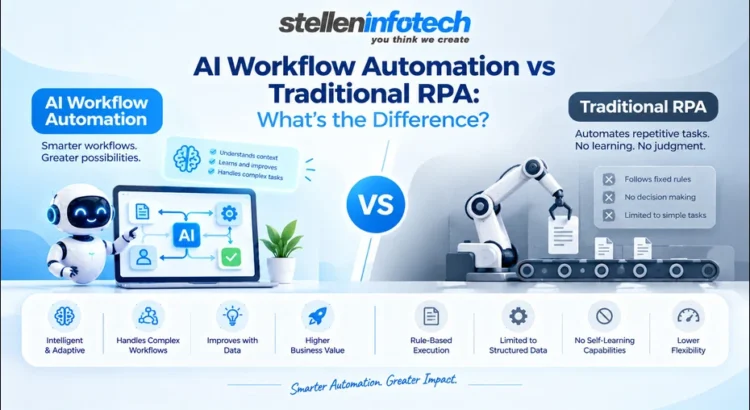
That’s the gap driving most conversations about AI workflow automation vs RPA right now. A traditional RPA system does only what it is told to do. An automated process using AI technologies can recognize something new, put it into context, and decide what should happen next. Small difference on paper. Large difference in which processes can actually be automated and how much babysitting they need once they’re running.
What follows is a look at how each approach works, where each one holds up, where each one doesn’t, and why more enterprises are landing on “both” instead of picking a side.
What Is Traditional RPA?
Before weighing robotic process automation and AI, it’s worth being precise about what RPA was actually built to do.
How RPA Bots Work
The RPA bot is designed to mimic keystrokes and clicks. The process involves opening up the document, extracting data from a constant source, and then moving it elsewhere. There you have it, and as long as nothing changes in the input, this works fine.
Which is the catch. RPA needs structured, predictable inputs: the same spreadsheet columns, the same form layout, and the same screen every time. A vendor tweaks their invoice format, an application gets a UI refresh, and the bot that worked fine last week now needs someone to go back in and rebuild it.
Popular RPA Platforms
UiPath and Automation Anywhere has built real enterprise businesses on this model. Visual designers, bot orchestration, monitoring dashboards — the tooling around deployment has matured a lot. And for the right kind of process, that maturity shows.
Where it fits well: high-volume, rules-based work on legacy systems that were never built with modern APIs in mind. Payroll runs. Batch data migration. Routine reporting. Processes that look the same on Tuesday as they did last Tuesday.
Where Traditional RPA Falls Short
The same rigidity that makes RPA dependable is also its ceiling.
It struggles with unstructured data — free-text emails, scanned PDFs, anything that doesn’t arrive in a fixed shape
It can’t deviate from the rules it was given, so anything outside that logic gets punted to a human
Unexpected changes upstream (a new form field, a redesigned screen) usually mean manual rework, not automatic adjustment
Every application update is a potential maintenance ticket
None of that makes RPA a bad tool. It makes it a specific one.
What Is AI Workflow Automation?
AI workflow automation is built on a very different foundation: rather than programming specific actions, AI workflow automation uses models that understand what is presented to them and act upon it accordingly.
How AI-Powered Workflows Work
Feed it a customer email, and it can figure out what’s actually being asked; however, the sentence is worded. Point it at a contract with no consistent template, and it can still extract the relevant clauses. Show it a support ticket, and it can classify the issue and route it, without anyone writing a rule for every possible phrasing.
But the bigger shift isn’t at the task level; it’s at the workflow level. Speeding up one step is automation. Coordinating five steps across three systems with far less manual handoff between them; that’s a workflow getting automated, and it’s usually where the actual business value sits.
The Role of AI in Decision-Making
A few specific capabilities do most of the work here:
Natural language understanding — reading free text, documents, and requests the way a person would
Pattern recognition — flagging anomalies, sorting information into categories, spotting likely outcomes
Context-aware decisions — factoring in what surrounds a piece of information, not just the information itself
AI-assisted recommendations — suggesting or initiating the next step based on that interpretation
There’s a real difference between this and bolting a chatbot onto an existing process. Here, the decision-making sits inside the workflow itself.
From RPA to Intelligent Automation
Intelligent automation is what results when the boundaries between automation, AI, data, and decision-making dissolve into a single unified system. Cognitive automation is the particular name given to the AI component of a system that can interpret data just like a person.
It’s worth being clear: this extends RPA; it doesn’t retire it. The execution layer often still looks like traditional RPA. What changes is the logic deciding what gets executed and why.
AI Workflow Automation vs RPA: Key Differences
The practical differences look like this.
Factor
Traditional RPA
AI Workflow Automation
Approach
Rule-based
AI-driven and context-aware
Data
Mostly structured
Structured and unstructured
Decision-making
Predefined rules
AI-assisted decisions
Adaptability
Limited
Higher adaptability
Workflow complexity
Repetitive tasks
End-to-end workflows
Human involvement
Often required for exceptions
Can reduce exception handling
Maintenance
Rule and bot maintenance
Workflow and AI model management
Best suited for
Stable, repetitive processes
Dynamic, complex processes
Look closely at that maintenance row. AI doesn’t remove maintenance from the picture; it just changes shape. Instead of fixing a broken script, someone’s watching for model drift, retraining where accuracy slips, and governing how AI-driven decisions get made and reviewed.
Robotic Process Automation vs AI: Where Does Each Fit?
Neither wins outright. It comes down to what the process actually looks like on a normal Tuesday.
When RPA Makes More Sense
The process is highly repetitive with little variation from run to run
Rules are stable, and inputs are predictable
The system involved is legacy, with no modern API to work through
The job is basically moving data from one system to another
It’s high-volume, back-office work like batch entry or reconciliation
When AI Workflow Automation Makes More Sense
Documents and language vary in structure or wording
The work involves judgment, classification, or interpretation
Customer or employee requests rarely arrive phrased the same way
Exceptions are frequent rather than rare
The workflow spans multiple systems that need coordinating
When Businesses Should Combine RPA and AI
Most enterprises don’t actually have to choose. AI reads an incoming request or document and figures out what needs to happen. RPA then does the mechanical part inside existing systems — updates a record, moves a file, kicks off a downstream process. Put together, that’s an intelligent automation architecture where each piece does the part it’s actually suited for.
AI Workflow Automation vs Traditional RPA: Real-World Use Cases
A few functions where the contrast shows up clearly.
Finance and Accounting
Invoice processing and reconciliation have run on RPA for years when documents arrive in a consistent format. The moment invoices show up as scanned PDFs from forty different vendors, each formatted differently, rule-based bots start missing things. AI-assisted extraction and classification tends to hold up better here, especially around exceptions that need flagging.
Customer Operations
Request classification and ticket routing both depend on understanding what a customer actually wants, and customers rarely phrase things the same way twice. AI handles the interpretation; RPA can still take care of the mechanical follow-through, like updating a CRM record once intent has been figured out.
HR Operations
Onboarding usually mixes structured steps (provisioning accounts, setting permissions) with unstructured ones (reading a resume, verifying a document). Leave requests and benefits questions increasingly get interpreted by AI before RPA handles the administrative side.
IT Operations
Incident classification is the most important thing in the entire service desk process chain. In many cases, monitoring and response will involve both approaches, in which the AI classifies the problem, while the RPA does its work based on the classified issue.
Which Is Easier to Scale and Maintain?
Scaling either one comes with its own set of headaches, and they’re not the same headaches.
Scaling RPA Bots Across the Enterprise
More bots means more deployment work, more need for process standardization so bots can be reused, ongoing monitoring to catch failures early, and rework every time a connected application changes underneath it.
Scaling AI Workflow Automation
It’s not just about the number of bots here, but about managing these AI-driven processes across various departments, integrating these processes that weren’t even supposed to interact, dealing with ever-changing inputs, and making sure there’s somebody responsible for the decisions made by the AI.
The Hidden Cost of Automation Maintenance
The number on the initial quote is rarely the real cost of running an automation. Bot failures after an app update. Workflow changes when a process shifts. Exceptions that still need a human. Ongoing model management. Add it up over eighteen months and it’s often close to what the initial build cost. Businesses that budget only for the build tend to be caught off guard by this.
Stellen’s Approach to AI Workflow Automation
The decision between RPA and AI isn’t really a technology question first. It’s a question of which processes need which kind of automation, and how the pieces fit together once you’ve figured that out.
Moving Beyond Task Automation
Stellen Infotech’s work here starts with workflow transformation, not deploying one bot at a time and hoping it adds up to something. That means identifying which processes suit RPA, which need AI’s ability to interpret, and which need both stitched together.
Building Intelligent Automation Around Business Processes
Automation only pays off long-term when it connects properly to what a business already runs on, whether that’s an ERP, a CRM, or something built in-house. The aim is workflows that scale and cut manual intervention without introducing new fragility, tied to whatever broader technology plans the business already has underway. More on how Stellen Infotech approaches this kind of work is at stelleninfotech.com.
AI + RPA: A Practical Automation Strategy for Enterprises
Practically speaking, this often means using RPA for deterministic, high-volume work, while using AI only when the task has an interpretive component. The metric of success is fewer handoffs to a human, faster processing, and robustness to changes in the inputs, not simply the use of AI in the architectural diagram.
How to Decide Between AI Workflow Automation and RPA
Get this right before any platform gets shortlisted.
Start With the Process, Not the Technology
A handful of honest questions settle most of this:
Is the process repetitive, or does it vary in meaningful ways each time?
Are the rules genuinely stable, or do they shift often?
Does the data arrive structured, or as documents, emails, free text?
Is there an actual decision involved, or is it purely mechanical?
How often do exceptions come up, and what happens to them right now?
Consider a Hybrid Automation Model
Most enterprise automation strategies end up as a mix: RPA doing the execution, AI doing the interpretation, APIs handling system integration, and people still making the calls that are too sensitive or too high-stakes to hand off entirely.
Build an Automation Roadmap
The path that tends to work: find the high-volume processes first, rank them by effort against impact, pilot before rolling out broadly, measure against numbers that actually matter, and only expand the ones that prove themselves.
The Future of Enterprise Automation: From Bots to Intelligent Workflows
Enterprise automation is moving away from bots operating independently to perform individual actions towards workflow automation involving entire business processes in one go. AI is what is enabling automation to extend its scope beyond repetitive tasks to areas that require context and interpretation.
Here, human supervision becomes all the more important. As AI assumes more interpretative functions, companies must come up with distinct points of review and override at which someone can supervise any decision made by the machines, especially in those areas where there may be serious repercussions of any error: finance, human resources management, and anything related to customers.
Conclusion: Choosing the Right Automation Approach
Strip away the vendor names and platform choices, and the core distinction still holds: RPA automates predefined actions; AI workflow automation can handle processes that require interpretation and judgment. Neither is automatically the right call.
It all depends on the details of the situation; that is, how difficult the process itself is, what sort of data is involved, how many exceptions are expected, what the process has to interface with, and what the business aims to achieve through the process. For CTOs and operations leaders sitting on this decision, the order of operations matters — look at the workflow first, then figure out where RPA, AI, or some mix of the two earns its place.
If you’re weighing where AI workflow automation fits alongside RPA you’ve already invested in, Stellen Infotech can help map out which processes are ready for AI, which are still better served by traditional automation, and how to combine the two without piling on complexity you don’t need. Which of your current workflows would actually benefit from that kind of second look?
Ask a COO whether their automation rollout is working, and you’ll usually get a version of “yes, I think so.” Ask for a number, and the confidence drops fast. That gap between gut feeling and actual proof is exactly what’s forcing businesses to get serious about AI automation ROI instead of treating automation as something you install and hope pays off.
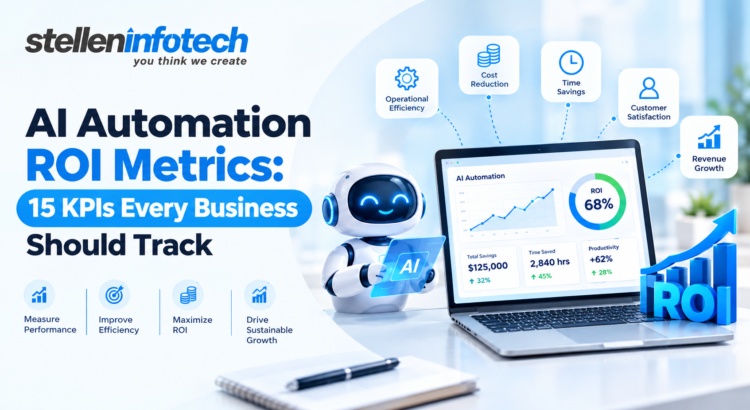
AI automation ROI is the difference between what you spent building and running the automation and what it actually returned: dollars saved, hours recovered, revenue moved, or errors avoided.
Measuring automation success can’t just mean glancing at a savings figure once and calling it done. The right KPIs are what let a business head decide, with actual evidence, whether to pour more budget into an initiative, fix what’s underperforming, or shut it down before it quietly bleeds money. Skip that step, and every decision about scaling automation is really just a guess with good intentions behind it.
Here’s what the next 15 metrics cover, and how to calculate AI automation ROI in a way that survives a hard question from finance.
What Is AI Automation ROI?
Before any of the 15 metrics make sense, it’s worth being honest about how messy the ROI calculation actually gets once real business processes are involved.
How AI Automation ROI Is Calculated
The formula itself hasn’t changed:
ROI = (Gains from Automation − Cost of Automation) / Cost of Automation × 100
Plenty of ROI calculations only count the software subscription and skip everything around it. A cost figure that actually holds up includes:
Licensing or platform fees
Implementation and integration work, which is often the bigger line item
Data cleanup or migration required to make the automation function properly
Ongoing maintenance and monitoring
Time spent training staff to work alongside the new system
Miss the integration or training costs, and your ROI number looks better than reality. That gap tends to surface later, usually right when leadership is asking why a “high-performing” initiative needs another round of funding just to stay operational.
Why Traditional ROI Alone Is Not Enough
A cost-only view of ROI misses a lot of what automation actually does for a business. Faster turnaround, fewer mistakes, and employees no longer buried in repetitive work all create value that never lands neatly on a savings line.
Take an automated claims process that doesn’t reduce headcount at all. Payroll stays flat, so a pure cost calculation would call it a wash. But if resolution time drops from five days to same-day, that shows up in retention and word-of-mouth in ways a savings-only model can’t see. Judge automation purely on what it saves, and you’ll consistently undervalue the projects that are actually changing how the business runs.
15 AI Automation ROI Metrics Every Business Should Track
Some of these are financial. Some are operational. None of them tell the full story alone, which is exactly the problem with businesses that only track one or two.
1. Cost Savings From Automation
Compare operating costs for the specific process before and after automation, not the department’s costs as a whole.
Count labor hours reduced or reallocated
Count reduced spend on fixing errors and redoing work
Leave out savings that would’ve happened anyway for unrelated reasons
Cost reduction from AI is easiest to defend when nothing else changed in that process during the comparison window.
2. Time Saved Through Automation
Compare the hours a task used to take against the hours it takes now, if any.
Time saved isn’t the same thing as labor-cost savings. If an employee is still clocking the same paid hours but now spends them on a different task, you’ve gained capacity, not reduced payroll. Both matter, but conflating the two is how ROI claims end up overstated.
3. Employee Productivity Gain
Look at output per employee before and after automation touches their day. A support rep handling 40 tickets daily might handle 65 once the repetitive parts of the job disappear; not because they’re working harder, but because the busywork is gone.
The question worth asking isn’t just “did output go up?” It’s whether that freed-up time is going toward something that actually matters, like harder customer problems, rather than just being absorbed into slack time.
4. Automation Adoption Rate
An automation tool can be technically flawless and still deliver zero ROI if adoption sits at 30%. Low adoption is rarely a sign the technology failed; it’s usually a sign the rollout was rushed, the training was thin, or the tool doesn’t fit how people actually work day to day.
5. Process Completion Time
How long does the workflow take from start to finish, automated versus manual? An invoice approval that used to take four business days might now clear in under two hours with automated routing and validation built in.
This is a good one to lead with when presenting to stakeholders who don’t work in the process directly. It’s concrete, it’s visual, and nobody needs a finance background to understand it.
6. Error and Rework Reduction
Track the volume of mistakes, corrections, duplicate entries, and failed transactions before and after automation goes live. Manual data entry has a known error rate, and automated validation tends to cut that down significantly.
Fewer errors mean lower correction costs directly
Fewer errors also mean fewer downstream costs, like complaints tied back to a mistake
One error can trigger hours of cleanup elsewhere in the process, so accuracy gains compound faster than they first appear to
7. Cost Per Automated Transaction
Work out the average cost to process one task, request, or case, then set it against the manual equivalent. If manual invoice processing runs $12 a pop and automation brings it down to $3, that gap scales directly with volume.
This is one of the more forecast-friendly metrics on the list, since it lets you project savings as volume grows instead of relying on one historical snapshot.
8. Payback Period
How long before cumulative savings equal what you spent to build the thing? An automation project with excellent long-term ROI but a 30-month payback period is a very different risk profile than one that breaks even in six.
Business heads should track this next to overall ROI, not in place of it. A longer payback period isn’t automatically a red flag, but it does change how the investment competes against shorter-term priorities for the same budget.
9. Revenue Generated or Influenced by Automation
Not everything automation touches is a cost story. Some of it is a revenue story.
Lead routing fast enough that sales reaches prospects before a competitor does
Automated upsell or cross-sell triggers based on customer behavior
Reps freed from admin work and able to carry more accounts
Be careful with attribution here. Revenue “influenced by automation” needs a plausible causal link, not just a lucky quarter that happened around the same time.
10. Customer Response Time
How long do customers actually wait for a reply or resolution, before and after? A chatbot fielding first-touch inquiries can cut initial response time from hours to seconds, even when a human still closes out the complicated cases.
Faster response feeds straight into customer experience, and it often shows up in satisfaction scores well before it shows up in a P&L.
11. Customer Satisfaction Improvement
Track CSAT, NPS, or complaint volume before and after automation touches anything customer-facing. An automation that speeds things up but leaves customers frustrated with rigid, unhelpful interactions isn’t a win, no matter how good the cost numbers look.
Think of this metric as a check on the other 14. It stops you from optimizing for speed or cost at the expense of the relationship.
12. Employee Capacity Recovered
Related to time saved, but focused on what happens next rather than the hours themselves. If automation frees up 15 hours a week across a team, the real question is what fills that space.
Is it going toward more customer cases?
Toward process improvement or something strategic?
Or is it just absorbed with no clear direction?
Recovered time that isn’t pointed at something useful isn’t really a gain. It’s just idle capacity with better branding.
13. Automation Uptime and Reliability
How consistently does the automated workflow run without failing or needing a human to step in and fix it? An automation that breaks 10% of the time isn’t delivering the labor savings the original business case assumed.
Reliability problems are also an early warning sign. If a workflow needed manual correction occasionally six months ago and now needs it constantly, that usually means it wasn’t built to handle the edge cases the business runs into regularly.
14. Scalability of Automation
How does the automation hold up as volume, customers, or locations grow? Something that runs cleanly at 500 transactions a day but slows to a crawl at 5,000 isn’t scalable, whatever its ROI looked like at the smaller volume.
Compare the marginal cost of scaling the automation against what it would cost to add equivalent manual headcount for the same growth. This comparison is usually where automation’s real long-term value becomes obvious, since manual processes rarely scale at a flat cost.
15. Overall AI Automation ROI
This is where everything above gets pulled together. Total measurable gains, financial and operational both, weighed against the total cost, including the maintenance spend that’s easy to forget once the launch celebration is over.
ROI isn’t a number you calculate once at kickoff and file away. It shifts as adoption matures, volume changes, and the process evolves around the automation. Whatever you measured at month three rarely matches what’s true at month eighteen.
How to Measure AI Automation Success Across the Business
Getting the measurement right takes more than picking good KPIs. It takes discipline before and after the launch date.
Set a Baseline Before Automating
Record costs, processing times, error rates, staffing levels, and productivity as they stand before automation goes live. This step gets skipped more than any other, usually because teams are eager to launch and baselining feels like a delay nobody wants.
Skip it, and there’s no honest way to prove what changed afterward. Every ROI claim becomes an estimate dressed up as a fact.
Track Financial and Operational KPIs Together
A CFO will naturally gravitate toward cost savings and payback period. An operations leader cares more about completion time, error rates, and capacity. Neither view is wrong, and neither is complete on its own.
Build a dashboard that holds both, and you avoid the common trap of one department declaring a project a failure while another department is quietly getting real value from it.
Measure Short-Term and Long-Term Impact
Cost savings show up fast. Productivity gains, scalability, and revenue influence take longer and are harder to isolate from everything else happening in the business at the same time.
Judge an initiative purely on its first-quarter numbers, and you risk killing something that would’ve paid off handsomely by month eighteen — or worse, keep funding something that looked good early and never actually scaled.
How to Build an AI Automation ROI Dashboard
A dashboard is only as useful as the goal it’s built around, not the data that happened to be easiest to pull.
Choose KPIs Based on the Business Goal
Different goals call for different groupings:
Cost reduction: cost savings, cost per transaction, payback period
Productivity: time saved, capacity recovered, process completion time
Customer experience: response time, satisfaction scores, resolution rate
Try to track all 15 with equal weight regardless of what the project was meant to achieve, and you end up with a dashboard nobody bothers opening.
Compare Before-and-After Performance
Keep the measurement periods consistent and the operating conditions as close to equal as possible. Compare automation performance during a slow month against manual performance during peak season, and the numbers will lie to you in one direction or the other.
Turn AI KPI Metrics Into Executive-Level Insights
A wall of numbers doesn’t help anyone make a call. What actually helps is a short explanation of what changed, why it likely changed, and what should happen next — scale it, fix it, or shift the budget somewhere else.
How Stellen Infotech Helps Businesses Measure and Maximize AI Automation ROI
A lot of what determines whether automation pays off gets decided before a single line of it is built, which is where measurement planning has to start.
From AI Implementation to Measurable Business Outcomes
Stellen Infotech starts automation projects by defining the outcome before touching the build. That means tying the work to a specific goal: lower cost per transaction, faster response times, more employee capacity; rather than automating a process just because it’s technically possible to automate it.
Building Automation Around Real Business Processes
The first real question isn’t “can this be automated.” It’s which workflows are repetitive and rules-based enough to benefit, and which ones would introduce more risk than value if rushed. That distinction shapes decisions around integration, scalability, and how much human oversight a process should keep, at least early on.
Helping Businesses Track the KPIs That Matter
Past the build, the harder work is setting up the tracking that answers the real question six months out: is this thing still earning its keep, not just performing well in the first few weeks when everyone’s paying close attention.
Common Mistakes Businesses Make When Measuring AI Automation ROI
The same common errors occur over and over again, no matter what industry.
Measuring Only Cost Savings
It’s the easiest number to calculate and the easiest one to put in a slide, which is exactly why so many businesses stop there. Doing so ignores productivity, customer experience, and revenue impact, all of which can matter more than the savings figure, depending on what was automated.
Ignoring Employee Adoption
A tool can work perfectly and still deliver nothing if nobody’s using it properly. Adoption failures get mistaken for technology failures more often than they should.
Failing to Establish a Baseline
No pre-automation numbers means every ROI claim afterward is a guess wearing a suit.
Confusing Time Saved With Actual Financial Savings
Freed-up hours don’t automatically shrink payroll. They create capacity, and that capacity only turns into real value if someone directs it somewhere useful.
Tracking Too Many Metrics Without Business Context
Twenty KPIs with no clear priority tell a business head less than five metrics tied directly to what the initiative was actually supposed to achieve.
Measuring ROI Once and Never Reviewing It Again
Automation doesn’t stay still. A number that was accurate at launch can be badly wrong a year later, once volume, adoption, and process complexity have all shifted underneath it.
How Often Should Businesses Review AI Automation KPIs?
How often you check should match how directly the metric affects daily operations versus long-term strategy.
Daily: uptime, error rates, process completion time
Weekly or monthly: productivity, process efficiency, adoption rates
Quarterly: ROI, payback period, scalability, and other strategic measures
An automation tied to a core revenue process deserves tighter, more frequent review than one handling a low-stakes internal task. Matching the review cadence to actual business impact keeps the whole effort proportionate, instead of either obsessive or neglected.
Final Thoughts: Make AI Automation Accountable to Business Results
Building the automation is the easy part. Proving it created value, and proving it again a year later, is where most businesses lose the thread entirely. These 15 KPIs aren’t a checklist you run through once at launch. They’re the basis for an ongoing conversation about whether automation is actually earning its place in the business.
Business heads who track financial, operational, employee, and customer metrics together are the ones who can make a confident call about what to scale next, and what quietly needs to be reworked or shut down. Everyone else is making that call blind, or on a single number that stopped telling the whole truth months ago.
If you can’t measure what automation is actually doing, you can’t confidently decide where to put more of it. What would your next automation decision look like with real numbers behind it, instead of a hunch?
Imagine these scenarios: a lead who submits an application at night. No one responds until the next day. The invoice remains in the group email account for four days before someone sees it. A support ticket gets logged, then forgotten, until the customer writes in again, annoyed. None of this is really a tech problem. It’s the cost of running a business on manual handoffs and simple “if this happens, do that” rules.
For years, automation worked just like that. RPA copied clicks and moved data between systems. But it still followed a script, step by step. AI agents work differently. Give one a task and the right data. The technology can read difficult texts, make choices among different options, and complete the entire process independently. The concept of using AI to automate tasks is simple; AI should make decisions within the workflow rather than to transfer information.
For business owners, this means less manual work. Faster turnaround. Fewer repeat errors. And better use of your team’s time as the business grows, without hiring at the same pace. However, some tasks would not be best left to agents. AI agents deserve their roles in places where manual tasks are repetitive, rule-based, data-intensive, or distributed in unconnected systems. Let’s learn in the following blog how:
What Is AI Automation for Business?
Before we compare tools and workflows, it helps to see what’s actually new here and what automation has always done.
How AI Agents Differ from Traditional Automation
Old-style automation runs on fixed rules. RPA moves the data between systems, follows a script, and works faster without getting tired.
AI agents bring something new. Given the right data, an AI agent can:
Read text that isn’t sitting in neat, tidy fields
Pick the action that fits the case in front of it
Move through several steps on its own, with no one pushing a button at each one
AI Automation vs. RPA: What’s Changing?
RPA still makes sense for a lot of back-office work. It’s cheap to build, steady, and it’s easy to check.
AI agents go further where the work needs judgment. Reading a support email to see what a customer wants. Deciding if an invoice looks off enough to flag. Summing up a sales call and pulling out the next step.
The two aren’t really rivals. Most firms get more value by using both. RPA handles the mechanical parts of a workflow. An AI agent sits where a call needs to be made, decides what happens next, and hands the routine steps back to RPA.
Why AI Agent Adoption Matters for Founders in 2027
The reasons founders care about this now aren’t hard to see.
More scale. Handle more leads, tickets, and orders without adding staff at the same rate.
Faster replies. A lead or support request gets a first reply in minutes, not hours.
Less office work. Less time on data entry, status updates, and chasing approvals.
Steadier processes. The same rules get used the same way, whether it’s 9 am on Monday or midnight on a Saturday.
Better use of staff time. People spend more time on judgment calls and clients, and less on busywork.
This is also where business process automation AI tends to pay off first. It’s the daily grind work that eats hours but adds little strategic value on its own.
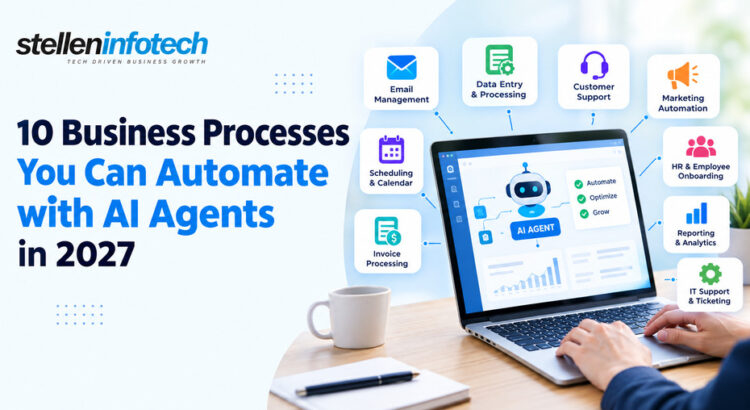
10 Business Processes You Can Automate with AI Agents
Some of these are already common automation targets. Others become truly useful only once an AI agent, not just a script, runs them.
1. Lead Qualification and Routing
Generate leads from your website, form, ads, and other sources in a single feed.
An AI agent analyzes the lead information and recognizes the lead’s intent, such as search terms used or the page where the form was filled.
It adds additional information and ranks the lead according to your criteria.
It routes the lead to the right person depending on the region, deal value, or field.
It triggers a follow-up action in your CRM software, which may include an email, a task, or a calendar reminder.
Example Workflow
New lead → AI checks lead → Checks CRM → Scores lead → Assigns salesperson → Sends follow-up
2. Customer Support and Ticket Management
Sorts new requests by topic and urgency.
Flags issues that need quick attention.
Searches your help articles for the right answer.
Drafts or sends a reply for routine questions.
Opens and updates tickets on its own.
Sends hard or sensitive cases to a person.
Where Human Approval Still Matters
Some things shouldn’t go to an agent, no matter how good it is:
Refunds
Sensitive complaints
Account changes
High-value customers
Complex technical issues
3. Invoice Processing and Accounts Payable
Pulls in invoices that arrive by email or get uploaded by hand.
Pulls out the invoice details: amount, vendor, line items, due date.
Checks the invoice against the original purchase order.
Flags a copy or odd invoice before it gets paid.
Sends approval to the right person, based on the amount or the team.
Updates the accounting system once it’s approved.
Tells finance about anything that doesn’t fit the pattern.
Business Impact
Less manual data entry
Faster invoice turnaround
Fewer mistakes
Better view of what’s still unpaid
4. Sales Follow-Ups and CRM Updates
Tracks sales activity across calls, emails, and meetings.
Spots leads that have gone quiet and need a nudge.
Drafts a real, personal note instead of a stock template.
Updates CRM records so a rep doesn’t have to.
Sums up calls and logs the notes against the deal.
Creates follow-up tasks and warns a manager when a deal stalls.
Example CRM Automation
Sales call → AI sums up call → Updates CRM → Finds next step → Creates task → Drafts follow-up
5. Employee Onboarding and HR Administration
Sends onboarding forms and gathers the details HR needs.
Sets up accounts and system access.
Books onboarding sessions across teams.
Answers common questions new hires ask in their first week.
Tracks which onboarding steps are done and which aren’t.
Flags HR when something is missing or overdue.
What AI Agents Can Handle vs. HR Teams
Office work (AI agent)
Calls that need judgment (HR team)
Sending forms and reminders
Handling a sensitive personal issue
Setting up system accounts
Deciding on pay or role changes
Booking sessions
Managing a performance issue
Tracking task progress
Sorting out a workplace conflict
6. Meeting Management and Internal Communication
Books meetings around everyone’s calendar.
Builds an agenda from the topic and past talks.
Pulls together the right documents ahead of time.
Sums up what got decided in earlier meetings.
Writes meeting notes and pulls out action items.
Assigns tasks and sends reminders as due dates near.
An AI agent could read through the document and determine who will do what job and when, and then integrate these jobs into your task management tool. This saves you the trouble of retyping the notes into your task list manually.
7. Procurement and Vendor Management
Watches new buying requests as they come in.
Gathers vendor details and price quotes.
Compares prices and terms across vendors.
Checks that the right papers are in place.
Sends the request out for approval.
Tracks the order through to delivery.
Follows up with vendors on delays.
Flags pricing or paperwork that looks off.
8. Marketing Operations and Content Workflows
Pulls data from campaigns running across channels.
Tracks results and builds report summaries.
Sorts incoming content requests.
Moves approved content between tools, like a CMS and an email platform.
Sets off email or CRM steps based on campaign activity.
Flags leads that need a marketing nudge before sales gets involved.
Where AI Should Assist, Not Fully Automate
Brand strategy
Positioning
Creative direction
Sensitive messages
Final campaign calls
9. Data Collection, Reporting, and Business Intelligence
Pulls data from CRM, finance, marketing, and ops systems.
Cleans and sorts it into something usable.
Builds recurring reports on a set schedule.
Explains odd shifts, instead of just flagging a number that moved.
Sends alerts when key numbers move outside a set range.
Preps summaries for leadership meetings.
From Raw Data to Executive Insight
Multiple systems → AI agent gathers data → Checks the shifts → Builds a summary → Sends the report → Flags issues
10. Order Management and Customer Operations
Captures new orders as they come in.
Checks customer and product details for errors.
Checks stock before it confirms the order.
Updates order systems and tells the customer.
Watches for orders running late.
Sends odd cases to the right team.
Workflow Automation Examples: How AI Agents Work Across Departments
Seeing a process broken into steps is useful. Seeing how it moves between teams is where the value gets clear.
Example 1: Marketing → Sales
Lead arrives → AI qualifies → CRM updated → Sales rep assigned → Follow-up triggered
Example 2: Customer Support → Operations
Customer request → AI sorts it → Checks details → Creates task → Escalates if needed
Example 3: Finance → Management
Invoice received → AI pulls out data → Checks rules → Requests approval → Updates finance system
Example 4: HR → IT
New employee → HR system updated → AI sets up accounts → Sends onboarding info → Tracks progress
How AI Agents Connect with Your Existing Business Systems
None of this works on its own. An agent is only as useful as the systems it can reach into.
CRM Automation
Most AI agents plug straight into the CRM tools businesses already run: Salesforce, HubSpot, and others. They read and update records without anyone doing it by hand. This is usually where CRM automation adds the most value, right away. Fewer manual updates. Actions fire the moment something changes, instead of whenever someone remembers to check.
n8n Automation
n8n has become a common way to link different apps and build multi-step workflows, without starting from scratch on custom code. It works well for pairing plain automation steps with an AI agent that handles the parts that need judgment. You’re not picking one over the other.
Zapier Alternative: When Businesses Need More Flexible Automation
Zapier is a fine starting point for simple, one-path integrations. It gets harder to justify once a workflow needs branching logic, custom rules, or the kind of control that comes from hosting it yourself. That’s usually when businesses start looking at a Zapier alternative such as n8n. Not because Zapier is bad, but because the workflow has outgrown a simple tool.
If your business’s existing systems do not offer an effortless plug-and-play interface, this frequently moves from being a tool problem to a build problem. This is where companies like Stellen Infotech come in. We provide customized interfaces to link different systems and keep a process together.
AI Agents vs. RPA vs. Traditional Workflow Automation
It helps to see these three side by side. Not to write one off, but to see where each one still earns its place.
Capability
Traditional Automation
RPA
AI Agents
Rule-based tasks
✓
✓
✓
Repetitive data entry
✓
✓
✓
Understands unstructured information
Limited
Limited
✓
Makes context-based decisions
Limited
Limited
✓
Multi-step workflows
✓
✓
✓
Handles exceptions
Limited
Limited
Stronger
Human approval
✓
✓
✓
None of these tools replace the others. Old-style automation and RPA still handle a large share of steady, high-volume work, cheaply and well. AI agents earn their place where the old rule-based way runs out of rules.
How to Decide Which Business Process to Automate First
Not every process is worth automating first. Picking the wrong one is a common way automation plans lose steam early on.
Look for High-Volume Tasks
Start with work your team does every day, not once a quarter. The more a task repeats, the faster automation pays back the time it took to build.
Find Processes with Clear Rules
Look for clear inputs, set actions, and results you can track. If three staff would handle the same case three different ways, fix the process first. Automate it after.
Prioritize Processes with Expensive Delays
Slow lead replies
Delayed approvals
Support backlogs
Manual reports
These are the spots where a delay costs you sales, trust, or someone’s evening spent catching up.
Avoid Automating Broken Processes
If you automate a bad system, it simply fails much more quickly. Fix the workflow first. Cut the steps that add no value. Then bring in AI automation.
How to Start with AI Automation for Business in 2027
None of this needs a full overhaul on day one. It works better in stages.
Step 1: Map Your Current Processes
Write down who does what, where data moves between systems, and where the delays are. Most firms find the real bottleneck isn’t where they thought it was.
Step 2: Pick One High-Value Workflow
Fight the urge to automate everything at once. One process, done well, teaches you more than five done poorly at the same time.
Step 3: Connect the Required Systems
This usually means your CRM, ERP, help desk, email, databases, and whatever chat or comms tools your team uses each day.
Step 4: Add Human Approval Where Needed
Add checkpoints for anything sensitive: refunds, account changes, odd pricing. Any spot where a bad call has real costs.
Step 5: Measure the Results
Compare the new version of the process against the old one, using the numbers you set out to track. If those numbers haven’t moved, dig into why before you scale it up.
Step 6: Expand What Works
Once one workflow proves its worth, use the same steps on the next team. Map it. Pick one high-value step. Link the systems. Add approval points. Track the results.
Final Thoughts
AI automation for business is moving past basic task automation, the kind that just clicks buttons faster. The bigger prize isn’t a few saved clicks. It’s a rethink of how work actually moves through a company, and which parts still need a person’s judgment.
Founders who get the most out of this don’t automate everything at once. They pick one process where automation gives a real, measurable result, watch what happens, and use what they learn before touching the next one.
If your team is past the stage of linking a few simple triggers, and needs an automation layer built around the systems you already run, that’s worth a talk with a development partner who builds inside your stack, not around it. Stellen Infotech works this way: building automation and links around what a business already has, not around a template.
Which repeat task would you automate first if your team got those hours back each week?
A Dubai retailer does not need to be educated on what generative AI is through some sort of slide presentation. What they really want to know is more specific: whether it will save them some time in the coming quarters or just be another technology that gathers dust post-presentation. This is one discussion that is being had everywhere in the GCC these days in the context of the UAE’s push for digital transformation. But adoption without a specific reason behind it rarely produces much. The businesses actually getting value from generative AI aren’t trying every new model release. They’re asking a smaller question first: where, exactly, does this cut cost, save hours, or make the customer experience better?
That’s the question this article sticks to. Below are real, implementable use cases for generative AI development for business, along with what SMB owners across Dubai and the GCC should think through before spending on any of it.
Why Generative AI Is Becoming a Business Priority in Dubai and the GCC
Before the individual use cases, it’s worth understanding what’s actually driving this shift across the region.
From AI Experiments to Everyday Business Operations
It seems only two years ago that most of the generative AI use within GCC organizations was a form of piloting. The deployment of a chatbot to deal with a few questions, or an attempt at using AI to create marketing captions. While these things have not ceased, they are no longer what the important things are about. What has happened is that a lot of this stuff has quietly found its way into business-as-usual practice: customer support using AI to deal with first-response queries, marketing using AI to write the first draft, salespeople summarizing their calls rather than typing their notes out.
The UAE’s Push Toward AI-Led Digital Transformation
The United Arab Emirates has made it clear that its goal is to be at the forefront of applied artificial intelligence (AI) rather than merely importing it, and this is seen through AI initiatives in government sectors, technology-focused free zones, and the rapid deployment of digital services. This leaves fewer hurdles for SMBs. Payment systems and government platforms have already digitized much of their own infrastructure, so a business layering AI on top isn’t fighting an outdated system underneath it.
What GCC SMBs Stand to Gain From GenAI
The reasons for adopting generative AI remain relatively constant: fewer repetitive tasks spent on administrative work, quicker decision-making as a result of data summarization rather than manual analysis, responsiveness in communication with customers, personalized marketing without a massive content team, and greater chances to compete with well-funded opponents. An e-commerce company based in Dubai faces competitors with much larger teams for support and marketing purposes. Generative AI, when applied correctly, bridges the gap between them.
8 Real Generative AI Use Cases for Businesses in Dubai and the GCC
These are the applications showing up consistently across GCC businesses today, not speculative ideas that sound good but rarely get deployed.
1. AI-Powered Customer Support
Support is usually the first place businesses apply generative AI, since it’s high-volume and directly tied to how customers feel about the business.
AI assistants handle FAQs and order-status questions without an agent repeating the same answer
Support runs around the clock, which matters where people message businesses at odd hours
Bilingual Arabic-English handling is increasingly expected, not a bonus feature
Well-built systems escalate to a human the moment a query gets complicated
The mistake some businesses make is treating AI support as a full replacement for people. Stronger setups treat it as a filter, resolving the routine stuff so agents spend time where judgment actually matters.
2. Automated Marketing Content and Personalization
Marketing teams inside SMBs are usually stretched thin. Generative AI changes that math: product descriptions, campaign concepts, and email copy can be drafted in a fraction of the time it takes to start from nothing, and content can be shaped around a customer’s past purchases instead of one message for everyone.
3. Sales Assistants That Help Teams Close Deals Faster
Sales teams lose more hours to admin than most owners realize. Lead qualification can be partly automated so reps know which inquiries are worth chasing, automated first responses keep a lead warm while a rep is unavailable, and draft proposals get pulled from templates and existing customer data. None of this closes a deal by itself, but it gives reps more of the day back for actual selling.
4. AI for Internal Knowledge and Document Search
This gets less attention than customer-facing use cases, but it often delivers the fastest time savings inside a business. Employees can ask a plain-language question and get an answer pulled from internal policies or product documentation instead of digging through shared drives, and institutional knowledge stops living in one person’s inbox — a real liability once that person goes on leave.
5. Generative AI for E-commerce and Retail
E-commerce is one of the sectors where the applications of AI are most apparent and quantifiable. Recommendations change based on browsing behavior. Descriptions may be automatically produced for an entire product range, after which they may be manually edited instead of being individually written, while review analysis will detect issues that customers are consistently having and praise much quicker than any individual could go through them all. Just the description production case makes the investment worthwhile.
6. Business Reports and Decision Making with AI
Businesses based in the GCC have more information than they need, purely because the process of transforming information into usable content is time-consuming. Data from sales and operations can be transformed into narrative content that is easy to understand without having to spend extra time in the process.
7. Finance and Administration with AI Automation
Finance and admin are full of tasks that are necessary but add little strategic value, done manually: invoice processing, email classification so nothing urgent sits ignored, and meeting summaries that save a manager from writing notes after every call. None of it is glamorous, but for a small finance team, this is often where the hours saved add up fastest.
8. Multilingual AI Experiences for GCC Customers
Language here is an operational reality, not a nice-to-have. Arabic-English communication needs to read naturally in both directions rather than sound translated word for word, and localization has to account for individual GCC markets separately — what lands well in the UAE won’t necessarily land the same way in Saudi Arabia or Oman.
GenAI Use Cases UAE Businesses Can Implement Without Building AI From Scratch
Most SMBs don’t need to build AI models. They need to apply existing AI capability to their own workflows, which is a far more achievable project than it sounds.
Start With Existing Business Workflows
The first step should come from within, not outside. Identify the areas in which your employees are doing something monotonous, customers have been waiting for an answer, or data has been lying unused. If you decide to adopt artificial intelligence simply because your competitor used it at a business fair, then it’s a poor reason to spend money.
Connect AI With Existing Business Systems
The greatest benefit that can be drawn from generative AI comes through integration with the systems that your business already uses: the CRM system, allowing sales information to be used for customer interaction; the support system, allowing AI to become an integral part of the tools used by support representatives; and the e-commerce system, which allows personalization based on information about products and behavior.
Build AI Based on the Business Needs, Not Vice Versa
Generic AI solutions are good for testing out an idea, but when it comes to using it for solving a problem that requires something more tailored to a particular business and data, they lack flexibility. Generic chatbots can be useful for answering some FAQs, but will fail to recognize a company’s pricing rules or escalation procedures. And that is what the ROI will depend upon – whether or not it reflects how this particular business operates.
What an AI Automation Agency in Dubai Can Offer to SMBs to Transition from Concept to Action
There is a difference between knowing that generative AI can provide benefits and understanding exactly how to implement it. This is where a professional partner can earn its money.
Identifying the Right AI Opportunities
A useful starting point is a process audit: reviewing support, sales, marketing, and operations to find where time and money are genuinely being lost, then prioritizing a small number of opportunities based on cost, complexity, and expected return.
Developing Custom GenAI Solutions
From there, the build phase might include business-specific AI assistants, internal copilots for individual departments, automated workflows connecting multiple systems, and the integrations needed to tie it all into what the business already uses.
Integrating AI With Existing Systems
The biggest failure point in AI adoption usually isn’t the model itself. It’s disconnected experiments that never touch the systems employees actually work in. Genuine implementation means connecting GenAI to CRMs and internal databases so output is usable without someone manually copying information between systems.
Measuring ROI After Deployment
Deployment isn’t the finish line. What proves value afterward is time saved, cost reduction, faster response times, movement in conversion where AI touches the funnel, and customer satisfaction measured before and after.
How Stellen Infotech Helps Businesses Turn GenAI Into Practical Solutions
For businesses that know where AI could help but need a partner to build and integrate it correctly, the work usually spans strategy, development, and ongoing support.
GenerativeAI Strategy Implementation in Business
At Stellen Infotech, we work together with companies through all stages of discovery, development, integration, and implementation, always keeping in mind the goal of addressing an existing business problem, not implementing an artificial intelligence technology just for the sake of it. Any Generative AI project development can only deliver results in the context of a real-world business process.
Custom Generative AI Development for Business Needs
In practice, that means building AI assistants shaped around a business’s own products and policies, automating workflows that currently rely on manual handoffs, and integrating with existing CRM or ecommerce platforms rather than asking a business to bend around a generic tool.
Helping Dubai and GCC SMBs Scale AI Without Overcomplicating It
For most SMBs, the goal isn’t the most advanced AI system on the market. It’s a solution that solves a real problem, works reliably, and can grow with the business, favoring practical implementation over unnecessary complexity and staying focused on measurable outcomes rather than technical novelty.
What Should Dubai SMBs Consider Before Adopting Generative AI?
Enthusiasm for AI shouldn’t skip past the practical questions that determine whether an implementation actually works.
Data Privacy and Security
There is always some sharing of information in every application of an AI system. It would be best to know the type of information that gets shared, where it is stored, and who has access to it.
Accuracy and Human Oversight
Generative AI can produce confident, well-written answers that are simply wrong. That’s a known limitation of the technology itself. Critical decisions and customer-facing claims should get a human review step before AI output is treated as final.
Choosing Between Off-the-Shelf AI and Custom Development
Consideration
Off-the-shelf AI tools
Custom development
Setup speed
Fast, often live within days
Slower, needs scoping and build time
Fit to workflows
Generic, limited customization
Built around actual processes and data
System integration
Often limited or basic
Deep integration with CRM, ERP, and others
Long-term cost
Lower upfront, can rise with usage
Higher upfront, more predictable over time
Best suited for
Simple, common use cases
Complex, business-specific requirements
A ready-made tool is often right for something simple, like basic FAQ handling. Custom development becomes worthwhile once a business needs something tailored to its own data or customer experience.
Scalability and Long-Term Cost
The initial setup cost is rarely the full picture. Usage-based pricing, maintenance, and the cost of expanding into new use cases all factor into whether an AI investment still looks worthwhile a year or two down the line.
GITEX and the Growing Momentum Behind GCC AI Adoption
Dubai’s standing as a regional technology hub shows up clearly at events like GITEX, where AI adoption is now one of the dominant themes rather than a side conversation.
Why GITEX Matters to Regional Businesses
GITEX functions as a window into where technology is heading, giving business owners direct exposure to AI applications and vendors they might not otherwise come across.
From Technology Showcase to Business Adoption
The more useful question isn’t whether a demo looks impressive. It’s whether it solves a measurable problem for the company evaluating it. Plenty of AI applications look compelling on a trade show floor and add little once implemented inside a real business.
What GCC SMB Owners Should Take Away
Avoid chasing every new AI trend that generates buzz, and focus instead on the handful of use cases with clear operational or commercial value for your own business.
How to Build a Generative AI Roadmap for Your Business
A structured approach cuts the risk of spending on AI that never delivers a measurable return.
Step 1: Spot repetitive processes. Across all departments, look for processes that are repetitive and rule-based enough for AI to actually help.
Step 2: Focus on highly valuable use cases. Prioritize based on where the savings will be greatest.
Step 3: Evaluate data, security, and integration requirements. It is important to understand what the solution will need from the beginning.
Step 4: Implement a pilot. Do not launch a whole company initiative, but build a small pilot for one use case.
Step 5: Measure performance. Track savings in time and money against the pilot objectives.
Step 6: Scale up the solution. After successful implementation of one use case, scale it up the same way.
Final Thoughts: GenAI Should Solve Business Problems, Not Create New Ones
The businesses getting genuine value from generative AI in Dubai and across the GCC aren’t the ones adopting the most tools. They’re the ones that started with a specific, measurable problem and worked backward to a solution. Customer support, marketing bandwidth, sales admin, internal knowledge search, ecommerce personalization, and finance workflows keep showing up as the use cases with real, trackable returns.
Getting there takes the right strategy and clean integration with existing systems, not just enthusiasm for the technology itself. For businesses ready to move past experimentation and into something production-ready, Stellen Infotech works alongside teams to build generative AI solutions shaped around how the business actually runs.
What is the one repetitive process in your Dubai or GCC business that your team should never have to do manually again?
Imagine at 9pm someone contacts your business on WhatsApp inquiring about pricing. No one answers till the early morning. By then, they have probably contacted two of your competitors already. Whoever answered first probably gets the deal. Now multiply that by every lead who writes in after hours. That’s a lot of revenue you’ve just lost.
WhatsApp has become the standard tool for many B2B communications. It’s faster than email and more informal than a contact form. The trouble is that once the messages are delivered, the salespeople have to manage all of those conversations on their personal phones and in shared inboxes. The leads disappear since there is no record of the actual question the customer had.
An AI chatbot integrated into WhatsApp and your CRM solves this problem by taking care of the initial conversation, capturing the details, and passing them over to your CRM as leads, rather than messages hidden away in people’s phones. This is the essence of AI chatbot WhatsApp integration: the chatbot communicates with customers via WhatsApp, and the data from those conversations goes directly into the software your salespeople use.
Here is what this blog will cover. How everything works together. Why it is important for marketing and sales. The exact process of implementation. How Salesforce and HubSpot play into it. And common pitfalls of such projects.
What Is AI Chatbot WhatsApp Integration?
Three parts, three jobs. That includes:
The chatbot:
Reads a customer’s message and works out what they need.
Replies in plain language instead of forcing them through a menu.
Answers common questions and asks a follow-up if needed.
Guides the person toward booking a call or getting a quote.
The CRM:
Without it, the chatbot is just a smart way to answer messages, nothing more.
Without a connection, the conversation just sits in WhatsApp.
Someone would need to copy the details into a spreadsheet by hand. Most of the time, that doesn’t happen.
Connect WhatsApp to the CRM, and the whole conversation moves into the system for sales to check every day.
Reps stop opening calls with, “Sorry, why are you calling again?”
Both parts together:
A customer sends a message.
The bot figures out what they want: pricing, support, or a demo.
It asks a couple of simple questions to learn more.
The CRM creates or updates the lead on its own.
The right sales rep gets notified with real information, not a blank form.
No single tool does all of this alone. It’s the connection between them that turns a chat into a working sales process.
Why Marketing and Sales Teams Should Care
Marketing already invests in making people communicate via WhatsApp using advertisements and campaigns. The next step will determine whether all those investments become actual sales or remain nothing more than unanswered messages.
The majority of consumers do not like filling out lengthy forms when there is an option of sending a short message. That’s what WhatsApp provides.
The chatbot turns that message into a real lead, with a name and a reason attached.
Replies happen instantly, since the bot can handle several conversations at once. No single person on your team could keep up with that on a busy day.
The bot can ask a few questions about budget or timeline before a human ever joins the chat. That way, your sales team spends time on the leads actually worth following up.
A discussion stored on the personal WhatsApp app of one individual vanishes once he or she gets occupied with some other task or even forgets about it. Automate this whole process, and now the lead does not depend on anyone’s memory.
The Reality of How a CRM Chatbot Integration Works
It doesn’t happen with one click at all but is rather a sequence of events.
Step 1: Connect the WhatsApp Business account.
Everything runs through the WhatsApp Business API, the channel Meta built for automated messaging. The consumer app doesn’t support this. The API is the foundation the rest of the whatsapp business api ai stack sits on.
Step 2: Connect the AI chatbot.
Decide what it’s for: support, qualification, or both. Train it on products, FAQs, and the questions people genuinely ask, not the ones you assumed they’d ask. Set firm rules for when a conversation stops being automated.
Step 3: Integrate the CRM.
This is where Salesforce or HubSpot enters. Fields need mapping, name to name, phone to phone. Sloppy work here means untangling duplicate contacts for months afterward.
Step 4: Build the qualification workflow.
Capture name, company, requirements, budget, location, whatever fits your business. Score the lead based on the answers. Then route it to the right representative, rather than a shared inbox nobody checks closely.
Step 5: Automate the follow-up.
A qualified lead sitting untouched for three days is still a lost one. Reminders, tasks, and relevant WhatsApp messages, often through HubSpot automation or something similar, keep momentum going without needing anyone to remember.
Step 6: Test it, and keep testing it.
Nothing works right on day one. Run customer journeys through it, watch the bot respond to real people, track where conversions and human handoffs happen. What looks correct on a whiteboard tends to need adjusting once actual customers start typing.
Most vendors will tell you this is a weekend project. It isn’t, not if the qualification logic is meant to hold up under real traffic.
Salesforce AI vs. HubSpot Automation
Both can power this integration. They suit different shapes of business, though. Pick the wrong one, and it turns into expensive rework rather than an obvious mistake up front.
Factor
Salesforce AI
HubSpot Automation
Best fit
Larger sales teams, complex pipelines
Growing teams focused on lead nurturing
Strength
Sales workflow and pipeline visibility
Marketing and sales on one system
Typical use
Enterprise deal tracking
Inbound nurturing, campaign follow-up
Setup
More configuration
Faster to get running
Salesforce fits businesses that already run sales through it: lead management, data syncing, workflows reps depend on daily. Add your WhatsApp bot information to Salesforce; the leadership will see all messages without needing any manual entry.
HubSpot emphasizes the marketing aspect: nurturing sequences, behavioral segmentation. If your teams have marketing and sales operating on a single funnel, starting from the very first interaction until closing the deal, you may consider HubSpot.
Sales volume, your existing CRM, team size, and how customers prefer to communicate decide which one wins for you. There isn’t a universally correct answer here.
Asks set questions, scores and sorts by buying intent
Appointment booking
Books meetings in-chat, syncs the booking to the CRM
Customer support
Answers common questions, escalates anything complex
Lead nurturing
Sends follow-ups and content, re-engages quiet prospects
None of these are separate bots running side by side. It’s the same conversation working toward a different goal depending on what the person on the other end requires at the time.
Key Advantages of Integrating AI Chatbots, WhatsApp, and CRM
The benefits can be seen in a couple of specific ways, not just one general improvement.
Faster lead response. Replies happen in seconds instead of hours. That matters most right after someone shows interest.
Better lead qualification. Sales teams spend time on prospects who already answered the questions that matter. Not on cold guesswork.
Higher sales team productivity. Reps stop copying WhatsApp chats into spreadsheets. They spend that time on calls instead.
More personalized conversations. With CRM data on hand, the bot can bring up what a customer asked before. It doesn’t start from zero every time.
Fewer missed opportunities. Automatic logging and follow-up triggers mean a lead doesn’t quietly vanish because someone got busy.
Better marketing and sales visibility. Everyone can see which campaigns actually drive WhatsApp chats that turn into pipelines.
Scalable customer communication. The system can handle a spike in inquiries during a campaign launch. No need to hire more reps to keep up.
Challenges in Integrating AI Chatbots on WhatsApp
None of these things work out of the box. Projects generally go wrong at the planning stage.
Poor Conversation Flow Design
When a chatbot can answer only FAQS and cannot continue the conversation, the user quickly gets irritated. The flow needs to guide someone toward an outcome. Not just react to keywords.
Incomplete CRM Data
Fields need to be mapped properly between the chatbot and the CRM. Get this wrong, and you end up with duplicate contacts, missing phone numbers, or leads that never get scored right. Clean field mapping isn’t exciting work. But it’s the difference between a system that works and one that quietly produces bad data for months.
Losing the Human Touch
Automation should speed things up. It shouldn’t replace every human interaction. Set clear handoff points where the bot knows it’s out of its depth and brings in a person. That keeps the experience from feeling like a wall.
Privacy and Customer Data Concerns
WhatsApp chats often include personal details. Access controls matter. Clear consent around how that data gets used matters too. So does handling it responsibly. None of this is optional. It’s part of running the system correctly.
Measuring the Wrong Metrics
Chatbot conversation volume looks good on a dashboard. It does not really tell you anything either by itself. What matters is how many of those chats turn into leads, booked meetings, and revenue.
How Stellen Infotech Can Help With AI Chatbot, WhatsApp & CRM Integration
Building this properly takes more than deploying a chatbot and hoping it connects to whatever CRM you already use. Stellen Infotech works with marketing and sales teams on the full stack. From conversation design to the CRM work behind it.
Build AI-Powered WhatsApp Customer Journeys
Custom chatbot development built around your actual sales goals. WhatsApp conversations designed to match the customer journey you already have. Not a generic bot template.
Connect WhatsApp Conversations With Your CRM
CRM integration work covering platforms such as Salesforce and HubSpot. Customer and lead data syncs cleanly, instead of creating duplicate records or blind spots.
Develop Lead Qualification & Sales Automation Workflows
Automated qualification logic, lead routing rules, follow-up sequences, and clear points where a chat gets handed to a human.
Create Scalable AI Chatbot Integrations
Integrations built around the systems your business already runs on. The goal is measurable sales and marketing outcomes. Not just another chatbot sitting on your website for the sake of having one.
If your team is weighing what a WhatsApp, CRM, and AI automation setup would actually look like, that’s a conversation worth having. Have it before you commit to a specific platform or vendor.
Best Practices for Successful AI Chatbot WhatsApp Integration
Start with one high-value use case. Trying to automate lead qualification, support, and appointment booking all at once, from day one, usually means none of them work well.
Keep conversations short and clear. Long paragraphs of bot text feel like reading a brochure. Short messages that ask one thing at a time work better.
Give customers an easy human handoff. A simple, visible way to reach a person should always be one message away.
Keep CRM data updated automatically. Manual syncing breaks down the moment someone forgets. That’s exactly when the system stops earning trust.
Personalize messages using CRM data. A returning customer shouldn’t get the same opening line as someone reaching out for the first time.
Track business outcomes, not just chatbot activity. Conversation counts look nice on a slide. Qualified leads and booked meetings are what actually count.
Improve the bot using real conversation insights. Real chats turn up questions nobody planned for when the bot was first trained. Reviewing them often is what keeps it useful.
Turning Conversations Into Sales Opportunities
The value here was never the automated reply on its own. It’s what happens next. A lead gets captured instead of lost, qualified instead of guessed at, handed to a rep who already knows what the person wants.
Most businesses already have the traffic showing up on WhatsApp. What decides whether it becomes revenue is whether there’s a system behind it, or a person checking their phone between meetings. With Stellen Infotech’s assistance, you can have your AI chatbot, WhatsApp, and CRM implementation planned around how your sales team works. What will be the impact on your pipeline if all those conversations were to hit right at their spot?
Mobile apps aren’t competing with other apps anymore. They’re competing with how little patience people have. A slow screen, a generic recommendation, or a clunky sign-up flow is enough for someone to delete an app and move to a competitor’s. That shift is what’s actually driving the trends below, not novelty for its own sake.
Here’s what’s shaping mobile app development in 2026, and what each trend means if you’re building or maintaining an app right now.
AI Is Now Built Into the App, Not Added On Top
For years, AI in mobile apps meant a chatbot bolted onto an existing product. That’s changed. Apps today are increasingly designed around AI from the first architecture decision, so the model can act on data in real time instead of waiting on a server round trip.
Practically, this looks like:
Home screens and content feeds that rearrange themselves based on what a specific user does, not a generic segment
Push notifications timed to when a user is likely to act, instead of a fixed daily schedule
On-device models that make predictions without sending personal data to a server first, which also helps with privacy compliance
If your app still treats AI as a single “smart search” feature, that’s the gap worth closing first.
Cross-Platform Development Is the Default, Not the Compromise
Building separate native apps for iOS and Android used to be the safer bet for performance. That trade-off has narrowed. Frameworks like Flutter, React Native, and Kotlin Multiplatform now let teams share one codebase for business logic, API calls, and state management, while still shipping platform-specific UI where it matters.
For a business, this usually means faster releases and a smaller maintenance bill, since a bug fix or feature update happens once instead of twice.
On-Device AI and Privacy-First Personalization
Sending less data off the device is becoming a selling point, not just a compliance checkbox. On-device AI processes information locally, which means faster responses and fewer privacy concerns for users who are increasingly aware of how their data gets used.
Health apps, banking apps, and anything handling sensitive information are moving here first, but the pattern is spreading to everyday consumer apps too.
AR and VR, Minus the Expensive Hardware
Augmented and virtual reality stalled for a while because the hardware was clunky and the experiences felt gimmicky. Cloud-based XR is changing that by handling the heavy rendering on remote servers, so users get immersive experiences through a regular phone screen instead of a headset.
Retail try-before-you-buy features, virtual property tours, and interactive product catalogs are the practical, revenue-generating use cases, not gaming alone.
Super Apps and Mini-App Ecosystems
Instead of building one app that does one thing well, some companies are building a platform where smaller mini-apps live inside it, payments, bookings, messaging, delivery, all under one login. Fintech apps in Southeast Asia and India have led this pattern, and larger enterprise platforms are now experimenting with the same structure.
This isn’t the right model for every business. It makes sense when a company already has a large, engaged user base and wants to keep people inside one ecosystem rather than sending them elsewhere.
AI Coding Agents Are Shortening the Build Cycle
Development teams are using AI agents for scaffolding, code review, and repetitive testing, which frees up developers to focus on architecture and product decisions instead of boilerplate. Combined with low-code platforms, this is letting smaller teams and even non-technical founders ship working apps faster than a traditional build timeline would allow.
The catch: speed doesn’t replace the need for a technical review before launch, especially around security and data handling.
5G and Connected Devices
5G rollout has matured enough that apps can now assume faster, more reliable connections in most markets, which opens the door for heavier AR content, real-time video features, and smoother IoT device syncing. Wearables, smart home devices, and connected vehicles all lean on this same infrastructure, and apps that integrate with them well have an edge over ones that treat mobile as the only screen a user has.
How AI Is Changing Web Responsiveness
Responsive design used to mean setting breakpoints for a handful of screen sizes and testing until it looked right on each one. AI has changed what “responsive” even means.
Layout generation. Tools can now take a brand’s design system and generate a fully responsive page, spacing, breakpoints, and components included, from a written description. This cuts down the manual CSS work needed for a first draft.
Behavior-based adaptation. Instead of a fixed layout, some sites now adjust in real time based on how a specific visitor scrolls, clicks, and lingers. This goes beyond screen size and starts responding to actual behavior, though it needs to be done carefully so it doesn’t feel invasive.
Accessibility checks. AI tools can flag low color contrast, missing alt text, and keyboard navigation traps automatically, then suggest fixes. This matters more each year, since accessibility compliance is becoming a legal requirement in more regions, not just a best practice.
Performance tuning. On the backend, AI can adjust image compression, lazy-load assets, and route content through the best CDN path based on a visitor’s location and connection speed. The result is a site that stays fast under load without a developer manually tuning every setting.
None of this replaces a designer’s judgment. AI is good at handling the repetitive setup work; a person still needs to make sure the result matches the brand and actually serves the user, not just the metrics.
Frequently Asked Questions
What is the biggest mobile app trend in 2026?
AI moving from an add-on feature to the core architecture of the app. This means apps that predict what a user needs and adapt in real time, rather than apps with a single AI-powered feature attached.
Do I need separate iOS and Android apps, or is cross-platform enough?
For most businesses, a cross-platform framework like Flutter or React Native is enough and cuts development cost and time significantly. Separate native apps still make sense for performance-heavy use cases like high-end gaming or apps that need deep hardware integration.
How does AI make websites more responsive?
AI helps in three ways: generating responsive layouts faster, adjusting content and layout based on real user behavior instead of just screen size, and automatically catching accessibility and performance issues before they affect visitors.
Will AI replace mobile app developers?
Not in the near term. AI is speeding up scaffolding, testing, and repetitive coding work, which lets developers spend more time on architecture, security, and product decisions instead of boilerplate.
Working With the Right Development Partner
Trends are only useful if a team can actually implement them well. Stellen Infotech builds mobile and web applications with current AI integration, cross-platform frameworks, and responsive design practices built in from the start, not added as an afterthought. If you’re planning a new app or want to bring an existing one up to date with where the market is heading, our team can walk you through what’s actually worth prioritizing for your specific product.
Corporate training has moved well past the days of static course libraries and once-a-year compliance modules. In 2026, learning and development (L&D) teams are under pressure to prove real business impact, connecting training directly to skills gaps, performance data, and workforce readiness, not just completion rates.
That shift makes choosing and implementing the right learning management system (LMS) more important than ever. Done well, an LMS becomes a strategic layer that ties employee development to business outcomes. Done poorly, it becomes another underused platform employees ignore.
This guide walks through the complete process of implementing an LMS for corporate training including whether you’re actually ready for one, what standards and integrations to check first, a realistic timeline, and the AI-assisted content approaches reshaping how organizations get to launch.
Why LMS Implementation Looks Different in 2026
For learning and development teams of organizations, it’s important to walk through a step-by-step LMS development & implementation process. So, without any further ado, let’s get started!!
Set Your Corporate Training Goals
Make sure to ask business executives or directors about which department needs training or exactly who they are looking to train. Plus, ask them how much of a percentage of improvement they are looking for. For example, for a retail business, a corporate training goal should not only be to increase sales. But, the goal actually needs to be ‘to increase sales by 20% from last year.’
Identify Employees Learning Needs
The second step is to identify your learner’s learning needs. This means, asking the employees about which business matters they are lacking behind. Also, you can ask senior management teams about this to create an effective LMS course. After all, they have performance records of each employee and can suggest better learning needs or areas where employees need improvements.
Establish A Plan, Strategy & Timeline
The next step is to plan your learning management system training project implementation. Besides, having a plan always helps to implement and execute the process effectively. While setting your LMS launch criteria, make sure to add timelines as well. It will give you an idea about the duration of your LMS development project.
Assign Roles To Every L&D Team Member
From creating training content and administrating LMS platforms to helping users, there are lots of roles and responsibilities associated with corporate training programs. This makes it essential to assign separate roles to each L&D team member so that everyone can collaborate better. It will help them to contribute and launch a successful training program.
Create Employee Training Content
This step is quite tricky, that’s why, keep your content informative, effective, and most importantly simple. Make sure to launch your corporate training program with only one course at one time. Ultimately, your goal is to prove that well-implemented LMS training programs actually work.
To create a simple, informative, and effective LMS course, follow these steps
Understand your future learner’s learning needs
Prepare course outline
Write the LMS course script
Design the LMS course draft
Demonstrate the course for trail
Make adjustments based on feedback
Launch The Final LMS Training Courses At Platform
Announce LMS Launch & Notify Employees
Often taken for granted, announcing the LMS launch date officially can make all the difference in making success to achieve employees’ training goals. Here, you can make official announcements or email announcements to notify the organization about such important updates. After all, a cloud-based learning management system plays a critical role in business growth, so everyone in your organization should know about it.
Set It Up (Your LMS Account & Course)
This is a core step in the learning management system implementation process. Here you will set up your business account on your chosen LMS platform and customize the account settings, like adding a company logo. Then you will add employee information and set up users’ accounts and integrate the platform with the business website and other communication platforms. Also, make sure to set up some LMS settings and provide access to managers or team leaders to track their performance and growth.
Assign Online Training With Completion Dates
If you want your employees to take such effective training programs seriously, make sure to add deadlines while notifying them of training assignments. Simply select the users who need corporate training and launch your LMS course and add the course competition date. It will automatically notify them of an assignment as well as the due date to complete it.
Monitor The Course Completion Rates
After a few days when you launch the course, make sure to monitor the course completion rates. Checking completion rates will give you an idea about how many employees have completed their assignments and how many are still left. Furthermore, you can contact such employees and ask them to complete their LMS. Besides, it will let you know about technical issues and resolve them promptly if any of your employees are facing them while navigating.
Final Step: Evaluate The Results & Progress Of LMS Training
Now you have successfully implemented your cloud-based learning management system. So, it’s time to check out the LMS training results and evaluate the progress of your employee’s knowledge, skills, and improvements. Also, provide the employee progress reports to executives to check whether such programs are serving training needs and contributing to business growth. Eventually, you will have a positive effect on your employee’s online learning needs to achieve business goals. And above all, you will get more knowledgeable & skillful employees, increased productivity, and high business revenues.
The EV market is not just growing, it is exploding. In 2025 electric vehicle adoption is expected to surpass 20% globally, with charging infrastructure scrambling to keep pace. But here’s the catch: chargers are hardware. Smart charging? That’s all software.
Whether you’re managing a network of public charging stations, building a private fleet, or rolling out EV support in commercial buildings, EV charging management software is no longer a “nice-to-have.” It’s mission-critical.
The real challenge in 2025 isn’t just charging EVs. It’s doing it at scale without chaos, without downtime, and without turning your support team into firefighters.
1. The Real-World Problems EV Charging Software Solves in 2025
Let’s stop pretending this is just about plugging in a car.
In 2025, the logistics behind that plug-in are where most businesses bleed time, money, and customer trust. That’s why EV charging management software isn’t just a dashboard, it’s your operational backbone.
Here’s what real businesses are dealing with:
1. Unpredictable Charger Downtime
You’ve got hardware installed across multiple sites. Now imagine one charger at a popular location goes down and no one notices for hours. Lost revenue. Frustrated users. One-star reviews.
A good EV charging software:
Sends real-time alerts on faults
Automatically flags offline units
Helps your ops team fix issues fast before Twitter hears about it
2. Messy Energy Loads & Peak Charges
As EV demand spikes, so does your power bill especially during peak hours. Without smart load management, you’re either:
Overpaying for electricity
Or overloading the grid (which regulators won’t love)
The right software helps balance energy usage with:
Load balancing across stations
Demand response support
Dynamic pricing models that don’t kill your margins
3. Scaling Across Locations? Say Hello to Chaos
Managing 5 chargers? You can maybe wing it with spreadsheets. Managing 500? You need automation.
A scalable platform gives you:
A single control center for all stations
Unified reporting and analytics
Role-based access so teams don’t step on each other
Whether it’s a corporate fleet or a growing public network, you need control without micromanagement.
4. User Experience That Actually Feels Human
Here’s where many operators drop the ball. You can have the fastest charger in town, but if users can’t:
Find your station
Book a slot
Pay easily
Or get support when something breaks…
…then your charging network isn’t working.
Modern EV charging software fixes that with:
Intuitive mobile apps
Real-time station visibility
Wallets, QR scanning, subscription plans, and more
Basically, a smooth UX that makes people come back.
5. Compliance & Carbon Reporting
Whether you’re running a fleet or operating stations in the EU or U.S., regulators are turning up the heat. Emissions tracking, energy source reporting, uptime SLAs it’s all on the table now.
Solid software doesn’t just collect data it organizes it in a way that’s:
Auditor-friendly
Compliant with ISO/IEC 15118 or OCPP
Ready for any government or investor report
Where Stellen Infotech Comes In
While most platforms throw in a dashboard and call it a day, Stellen Infotech EV Charging Software tackles all of the above without the bloated interfaces or outdated architecture.
It’s built for 2025, not 2015. And it’s designed with scalability and real-world operations in mind.
No fluff. No patchwork tools. Just one platform that handles it all.
2. Must-Have Features in 2025 (and Why Half the Platforms Miss the Mark)
There’s no shortage of EV charging software in the market. But most of them are either stuck in 2018 or built like Frankenstein too many moving parts, nothing fully connected.
What you need now is deep functionality that doesn’t just tick a box but actually works together. Let’s break it down.
1. Centralized Dashboard for Multi-Station Oversight
Not just a fancy graph. We’re talking about:
Live status of each charger
Health diagnostics, usage trends
Control commands (reset, shutdown, firmware updates)
This is mission control. You need to know what’s happening without logging into 10 portals or calling tech support.
Stellen Infotech unified dashboard doesn’t just show data it gives you actionable control. You can monitor, manage, and maintain your entire charging infrastructure from a single place. Even if you’ve got 5 locations or 500.
2. Load Balancing & Energy Optimization Tools
Electricity isn’t getting cheaper. And in many countries, the grid’s capacity is under serious pressure.
Modern EV software should:
Auto-distribute charging load to avoid overdraw
Schedule charging during off-peak hours
Integrate with solar and on-site storage systems
Their platform offers real-time load distribution with AI-based forecasting. You don’t just reduce bills, you get to play nice with regulators and go greener in the process.
3. Payment Flexibility + Monetization Tools
Users expect the same ease they get from Uber or Netflix. If your payment flow looks like a government form from 2004, you’re out.
Key features:
Support for wallets, cards, UPI, and contactless payments
Custom pricing (by hour, kWh, user tier)
Subscription packages and loyalty points
Full-stack billing engine with API support. Set your own pricing rules, automate invoicing, and plug into existing CRMs or accounting systems. It’s built for scale and profit, not just transactions.
4. Smart Reservation & Queue Management
We’re way past “first come, first serve.” In 2025, time is money. And so is predictability.
Must-haves:
Slot booking via app or web
Waiting lists with live updates
Instant notifications when a charger frees up
With dynamic booking and live sync across platforms, the software ensures clients don’t bounce and station utilization goes up. Good for your wallet, great for user experience.
5. OTA Firmware & Remote Maintenance
If your technician needs to visit a site for every minor update, you’ve already lost.
What you should expect:
Push firmware updates remotely
Trigger health diagnostics without being on-site
Schedule maintenance with downtime impact reports
Stellen Infotech includes remote diagnostics and automated firmware deployment across all charger models. It saves ops teams hours and ensures you’re always compliant and running the latest patch.
6. User Access Controls & Multi-Tiered Roles
Not everyone needs admin power. And not every team member should see financials.
You need:
Role-based permissions
Audit logs
Secure login protocols (2FA, SSO, etc.)
They offer granular access controls that work across enterprise setups so whether it’s a station manager, IT guy, or a third-party vendor, they see only what they need to.
7. OCPP & Open Standards Compliance
This isn’t a nice-to-have. It’s table stakes.
Your software must:
Support OCPP (Open Charge Point Protocol)
Integrate with different hardware brands
Ensure long-term hardware flexibility
They’re not just compliant, they build with open architecture in mind. That means future-proofing and vendor independence, which is gold for long-term strategies.
Bonus Feature: Carbon Footprint & ESG Tracking
Yeah, investors care. Governments care. Even your customers care.
Smart platforms now offer:
Emissions tracking per charge
Green energy usage reports
ESG dashboards for internal and public reports
Stellen bakes this directly into the analytics dashboard. Whether it’s internal ESG goals or prepping for a pitch deck, you’ve got data that backs your sustainability claims.
That wraps up Part 3.
If this all sounds like a lot good. It should be. Because in 2025, basic EV charging software doesn’t cut it. You need something built for scale, built for change, and built for business, not just cables and plugs.
3 How Businesses Are Actually Using EV Charging Management Software to Grow
Forget generic “solutions for everyone.” Let’s look at specific players in the EV ecosystem and how they actually benefit from modern, scalable EV charging software like Stellen Infotech.
1. Fleet Operators: Charging at Scale Without the Headache
Fleets (delivery vans, taxis, corporate cars) are under pressure to go electric. But managing dozens or hundreds of EVs is chaos without the right software.
Real Problems:
Drivers competing for chargers
Overdraw penalties from utilities
Zero visibility into charging costs
How Stellen Helps:
Scheduled smart charging: Different time slots for different vehicles
Fleet analytics: Cost per charge, driver-wise efficiency, idle time
Load optimization: Prevents spikes, spreads load during night hours
“We saved 18% on our monthly electricity bill after switching to Stellen’s platform. And no more 3 AM support calls from drivers who couldn’t charge.” — Operations Lead, Logistics Fleet (Singapore)
2. Commercial Property Owners: From Utility Sinkhole to Profit Center
Whether it’s malls, coworking hubs, or apartment complexes charging stations add value. But only if they’re managed smartly.
Real Problems:
Chargers being hogged or left idle
Complaints from tenants
No way to recoup electricity costs
How Stellen Helps:
Custom pricing: Charge guests more, offer discounts to tenants
Live availability via QR/app: Reduces “charger rage”
Revenue tracking: Know exactly what each station earns
“After 6 months on Stellen, our chargers went from a dead asset to making us $2,300/month. It’s like a vending machine, but smarter.” — Property Manager, Urban Realty Group
3. Charge Point Operators (CPOs): Managing 100s of Locations Without a Bottleneck
This is where scale matters most. CPOs often struggle with multiple hardware vendors, disconnected systems, and messy reporting.
Real Problems:
Manual reporting to regulators
Poor customer experience at kiosks
Lack of real-time oversight
How Stellen Helps:
OCPP compliance: Works with multiple charger brands
White-labeling options: Build your brand on top of their infrastructure
Real-time monitoring + auto alerts: If a charger fails, the system lets you know instantly
“Before Stellen, we were managing 20 platforms. Now we just use one and finally sleep better.” — CTO, Mid-size CPO, Europe
4. Utility Companies & Energy Providers: Partnering With Infra, Not Fighting It
Many utilities are moving from energy providers to energy platforms and EV charging fits right in. But managing demand and integration is not for the faint-hearted.
Real Problems:
Grid overload
No real control over user behavior
Clumsy integration with billing systems
How Stellen Helps:
Demand response tools: Reduce load during grid stress events
Smart pricing integration: Change rates in real-time
Custom API access: Plug into internal systems with minimal friction
“We needed a system that played nice with our energy marketplace—and Stellen delivered. Our dev team didn’t hate it. That’s rare.” — Head of Digital Transformation, Major Utility Firm
5. Franchise Models (Gyms, Restaurants, Hospitality): EV as a Service Differentiator
Offering EV charging doesn’t just help the planet it brings in foot traffic.
Real Problems:
Guests leave when chargers are full
No way to track ROI
Complicated setup for multiple franchisees
How Stellen Helps:
Reservation and queue system: Keeps guests engaged instead of annoyed
Data on usage vs. time of day: Optimize your offers and store hours
Franchisee dashboards: Let each location control their piece without central IT chaos
“EV charging is now one of our top 3 amenities and the only one that literally pays for itself.” — Brand Manager, Hospitality Chain (India)
6. Government & Municipal Projects: Transparent, Trackable, Tamper-Proof
Govt. EV projects are heavily audited, grant-based, and politically sensitive. Mismanaging a charger rollout can cost your job.
Real Problems:
No real-time visibility
Expensive custom software tenders
Reporting nightmares
How Stellen Helps:
Grant-ready reporting: Instant access to usage, uptime, and maintenance logs
Public dashboards: Transparency builds trust
Custom integrations: With traffic, utility, and urban planning systems
“The audits used to take 3 weeks. Now? A few clicks. That’s not just helpful—it’s self-preservation.” — Smart City Program Director, U.S. Midwest
The Common Thread? It’s All About Connected Control
What all these use cases share is the need for:
Real-time visibility
Automation that doesn’t feel like rocket science
Scalability without dev bottlenecks
And that’s what Stellen Infotech EV Charging Management Software delivers.
4 Integration-Ready or Dead on Arrival: Why Open Ecosystems Matter in 2025
The EV ecosystem isn’t one software. It’s a network of hardware, payment systems, utility databases, fleet ERPs, city APIs, and even mobile apps for end users.
So if your charging software doesn’t connect with:
Your energy supplier’s smart pricing API
Your billing and accounting tool
Your fleet telematics
Or your customer mobile app…
…it becomes the bottleneck. Not the backbone.
Why Closed Systems Don’t Cut It Anymore
Let’s break the illusion: No company in 2025 wants a platform that’s married to one hardware brand or needs a dev team for every tiny integration.
EV software in 2025 has to be:
Hardware-agnostic
Protocol-compliant (OCPP 2.0.1, ISO 15118, OCPI, etc.)
Unlike vendors who lock you in, Stellen builds their EV charging software with open frameworks from Day
1. That means:
OCPP compliance (for charger interoperability)
Open API access (for third-party integrations)
Custom webhooks (so real-time data flows wherever you want)
Need to push charging logs to SAP? Sync maintenance status with Jira? Link your RFID-based access with your HR tool?
It’s already possible.
“We integrated Stellen with our fleet, HR, billing, and energy dashboards in under 10 days. Their docs were cleaner than some code I’ve written.” — Lead Developer, Fleet-as-a-Service Startup
The Mobile User Experience: Connected for the End Customer Too
EV routing platforms (like PlugShare, A Better Routeplanner)
“Customers don’t even ask ‘Do you have EV charging?’ anymore. They just see us on the map and drive in.” — Franchise Owner, QSR Chain (US East Coast)
Developer-Friendly Without the Drama
Your dev team shouldn’t have to fight your EV software.
Stellen offers:
RESTful APIs
Webhooks for real-time triggers
Sandbox environments for testing integrations
Postman collections and Swagger docs for faster builds
That means faster go-lives and fewer WTF moments in sprint reviews.
It’s Not “Optional.” It’s the Standard.
In 2025, clients expect that your EV charging software will:
Sync with energy management systems
Integrate with EV navigation tools
Connect with CRMs, billing systems, ERPs, or city infrastructure
Stellen doesn’t treat this as a “premium add-on.” They’ve built it into the core DNA of the platform.
TL;DR of Integration Must-Haves
Feature
Why It Matters
OCPP 2.0.1 Compliance
Hardware interoperability
Public + Private APIs
Endless customization possibilities
OCPI Support
Roaming and third-party access
Mobile UX Ready
Real-time updates and QR-based booking
Developer Sandbox
Faster, cleaner integration
5. Security, Privacy, and Uptime — The Real Enterprise-Grade Test in 2025
Let’s face it EV software isn’t just a “tech tool” anymore. It’s part of national infrastructure, fleet lifelines, and even city energy grids. That means security, compliance, and reliability aren’t buzzwords—they’re non-negotiables.
And in 2025, clients are asking tougher questions:
Who has access to the charging data?
Can the system survive a cyberattack?
Is uptime actually 99.9% or just a marketing number?
Common Risks EV Software Faces Today
If you think hackers don’t care about EV stations, think again. Here’s what’s happening on the ground:
Risk
What It Can Lead To
Poor API security
Exposed customer data or payment leaks
Weak charger authentication
Unauthorized usage or manipulation of charging sessions
No DDoS protection
Network outages during peak usage
No role-based access
Employees snooping or misconfiguring systems
And in industries like fleet or public infrastructure, these risks can bring legal and financial blowback.
Stellen’s Approach: Military-Grade Without the Military Attitude
Let’s not get dramatic, but Stellen doesn’t mess around with security. Their EV Charging Management Software brings enterprise-grade protection with:
End-to-End Encryption (TLS 1.3) across all communications
Role-Based Access Control (RBAC) so teams only see what they’re meant to
SOC 2 & GDPR Compliance baked into the platform
Two-Factor Authentication for all admin panels
And it doesn’t stop there.
They also run:
Regular Penetration Testing
Audit Logging for All Critical Actions
Geo-redundant backups and auto failover servers
In short: If something goes wrong, they know it before you do and have the backups ready.
Uptime That Speaks for Itself
Everyone loves to say “99.99% uptime,” but Stellen backs it with:
Multi-region hosting (AWS + Azure fallback)
24/7 uptime monitoring
Status pages and real-time alerts
Self-healing auto-scaling architecture
“We’ve processed over 3 million charging sessions in 14 months no downtime, no data loss, no drama.” — CTO, European Charge Point Operator (CPO)
Compliance You Don’t Have to Lose Sleep Over
Depending on your geography, you might need to comply with:
GDPR
CCPA
ISO 27001
SOC 2
Or local energy regulatory frameworks
Stellen builds region-aware compliance modules so you’re never caught off guard. Logs, audit trails, consent management it’s already in place.
Data Privacy That’s Actually Private
Unlike platforms that quietly monetize usage data, Stellen gives full data ownership to the business. That means:
No resale to third parties
No cookie-tracking nonsense
Full control over retention and deletion
TL;DR: What Makes Stellen Enterprise-Grade
Feature
Why It Matters
TLS Encryption + 2FA
Bulletproof data transmission
SOC 2, GDPR, ISO Compliance
Ready for global enterprise deployment
RBAC + Audit Trails
Secure internal governance
99.99% Monitored Uptime
Works when you need it most
Region-Specific Data Controls
Stay compliant, stay safe
6. Fleet Management Tools That Don’t Crack Under Pressure
Managing one EV is easy. Managing 50, 500, or 5,000? That’s a whole different game.
If your charging software wasn’t built with fleets in mind, it shows slow dashboards, confused driver access, lack of reports, and chaos when something breaks. That’s why in 2025, fleet-first EV management features aren’t optional they’re make or break.
Let’s look at what really matters when you’re running EV operations at scale.
What Fleets Actually Need (Not What Most Software Thinks)
Forget the fluff here’s what fleet operators actually ask for:
Need
Why It Matters
Multi-vehicle scheduling
Avoid queues and downtime across 100+ units
Driver access control
Make sure only authorized drivers charge and at the right locations
Centralized energy insights
Know which depots are power hogs, which vehicles are underutilized
Maintenance alerts
Spot issues before they turn into stranded vehicles
Billing that makes sense
Split by driver, vehicle, or department without needing Excel nightmares
Route-based charge planning
Don’t just charge charge smart, based on where the vehicle is headed next
How Stellen Infotech Built Fleet-Grade Into the DNA
Here’s where Stellen doesn’t just “offer fleet support” they bake it into every layer of the EV Charging Management Software:
Smart Scheduling
Bulk assign charge windows by vehicle group, priority, or shift
Auto-adjust schedules based on battery %, route, or weather disruptions
Real-time alerts if a scheduled charge didn’t happen
Role-Based Driver Access
Assign drivers to specific vehicle IDs
Control access based on day, time, location
GPS + RFID integration supported
Load Management That Thinks at Scale
Set charge caps across sites to prevent overload
Dynamic energy pricing integration to cut peak hour costs
Integration-ready with building energy management systems
Centralized Billing + Reporting
Generate line-item billing per driver, vehicle, team, or client
Custom export templates for accounting software (QuickBooks, Zoho, SAP etc.)
Filterable reports by kWh, charge time, location, or fleet subgroup
Case Study: Logistics Giant That Scaled from 80 to 600 EVs
A real example a logistics firm in California started with just 80 EVs using generic charger software. Within 3 months of scaling to 250+ vehicles, chaos broke out:
Drivers couldn’t find chargers
Invoices were inaccurate
Uptime reports made no sense
They switched to Stellen.
What changed:
Maintenance cost dropped by 19% due to early fault alerts
96% charging success rate (up from 72%)
30+ hours saved weekly by ops team through auto-scheduling
“Stellen didn’t just fix our charging problem — they fixed our workflow.” — Logistics Manager, LA-Based Fleet Ops
Built for Fleets. Not Bent for Fleets.
Let’s be honest: most software companies build for public chargers, then later say “oh yeah, we do fleets too.”
Stellen flipped that. From day one, it was designed to handle complexity, with:
Tiered access control
Depot-level energy analytics
Bulk onboarding tools
Vehicle ID-based performance insights
This isn’t add-on territory it’s core feature architecture.
TL;DR: Why Fleets Choose Stellen
Feature
Fleet Benefit
Smart bulk scheduling
Stops charge congestion at scale
Driver access control
Keeps systems clean and secure
Intelligent load balancing
Cuts energy bills and overload risks
Multi-layer billing + reports
No more reconciling spreadsheets from 5 departments
Enterprise integrations (ERP, CRM)
Fits into your existing fleet stack
7. APIs and Integrations That Actually Work (And Don’t Suck)
Here’s the harsh truth: EV charging doesn’t happen in a vacuum. Your system needs to talk to your billing platform, your fleet management software, your CRM, your ERP, your mobile app… and maybe even your client’s dashboard.
If your EV charging software can’t integrate cleanly, it turns into a walled garden and nobody has time for that in 2025.
Why Integrations Make or Break EV Software
Let’s not get lost in jargon. You need integrations because:
Your finance team needs accurate usage data for invoices
Your fleet team wants to sync vehicle status with the main dashboard
Your support team needs logs tied to customer accounts
Your end-users expect real-time updates inside your own app
No integrations double data entry, wrong reports, missed alerts, and a frustrated ops team.
Stellen Infotech Integration Stack: Built for Real-World Ops
Stellen didn’t wait for enterprise clients to beg for integrations they built their software open from day one, so it plays nice with other systems out of the box.
Here’s what’s in the stack:
Open API (REST + Webhooks)
Push/pull real-time charging data
Trigger events on charge start, complete, or error
Connect third-party billing or access tools
Fully documented with SDKs in Python, JavaScript
Pre-Built Integrations
Accounting: QuickBooks, Xero, Zoho Books
Fleet Management: Samsara, Geotab, Fleetio
CRMs: Salesforce, HubSpot
ERP: SAP, Oracle NetSuite
IoT/EMS: Schneider, Siemens, ABB
Secure Authentication
OAuth2 + API key-based roles
Rate-limiting and IP whitelisting
Audit trails on every call
Real Integration, Real Results
One public transport operator in Europe synced Stellen with their legacy depot software using the open API. The outcome?
100% real-time charging visibility across 12 cities
Maintenance logs auto-synced to internal CMMS
Reports auto-fed into central finance without human input
“Before Stellen, we were manually updating spreadsheets at midnight. Now, the data just flows.” — Head of Fleet Ops, European Transit Co.
Dev-Friendly Documentation (No Stack Overflow Panic)
Most companies throw out a 100-page PDF and call it “API documentation.” Stellen actually supports developers like they matter (because they do).
Swagger-based interactive docs
Live testing sandbox
GitHub examples
24/7 Slack dev channel for enterprise clients
Even if you’re not a dev, this matters because faster integrations mean faster deployments, happier clients, and lower dev costs.
Future-Proofing With Modular Architecture
Because tech changes, right?
Stellen’s architecture is modular and service-based, which means:
New integrations can be added without downtime
APIs evolve without breaking old workflows
You’re not locked into “their way” of doing things
TL;DR: Why Integration-First Matters
Feature
Real-World Benefit
Open, well-documented APIs
Faster rollouts, no vendor lock-in
Pre-built enterprise syncs
Saves weeks of custom dev work
Modular architecture
Adapts with your tech stack as it grows
Dev-friendly experience
Makes in-house teams actually want to use it
8. Security & Compliance – You Either Have It or You’re a Liability
Charging infrastructure is no joke. It’s not just about plugging in cars you’re handling:
Energy consumption data
Customer payment details
Driver access logs
Enterprise credentials
And sometimes even government integrations
Now imagine one data breach… one rogue API call… one vulnerability exposed. Your software isn’t just down your client’s fleet, their trust, and maybe their contract are gone.
So no, security isn’t some backend afterthought. It’s mission-critical, and in 2025, it better be bulletproof.
The Real Security Risks in EV Charging Platforms
Let’s stop pretending it’s just about SSL certificates. Here’s where the cracks usually show:
Weak Spot
What Can Go Wrong
Poor access control
Unauthorized users accessing charger controls
Unencrypted data streams
Leaked energy logs, user data, or location trails
Weak APIs
Bot attacks, rate floods, fake transactions
Non-compliant storage
GDPR, ISO, or NIST violations hello, lawsuits
Firmware gaps
Chargers becoming attack vectors especially public ones
So if your EV charging software doesn’t address these from Day 1, it’s not “enterprise-grade” it’s just a ticking time bomb.
How Stellen Infotech Locks It All Down
Security is not a feature it’s a culture. And Stellen has layered it from core to cloud.
End-to-End Encryption
TLS 1.3 for all data in transit
AES-256 for data at rest
Encrypted local storage for offline charger syncing
Role-Based Access (RBAC)
Granular control for admins, drivers, partners
Time-based and event-based access expiry
Audit logs on every action taken in the system
Compliance Built-In
GDPR (EU privacy)
SOC 2 Type II (Enterprise SaaS standard)
ISO 27001 (Global info security framework)
OCPP 2.0.1 Secure Profile (For charger communication protocols)
Continuous Monitoring + Pen Testing
24/7 threat detection
Quarterly third-party pen testing
Incident response plans with rollback protocols
Secure Doesn’t Mean Slow (Or Annoying)
Stellen keeps the platform snappy and intuitive without cutting corners. How?
Single Sign-On (SSO) support with SAML 2.0
2FA that actually works across devices (not just marketing speak)
API security keys that rotate on policy not when someone remembers
And yes they notify you before something becomes a threat.
Data Privacy for the Global Market
If your clients span countries, you’re juggling privacy laws from:
GDPR (EU)
CCPA (California)
LGPD (Brazil)
PDPA (Singapore)
and more…
Stellen’s system lets you localize:
Data storage region
Consent management flows
Anonymization protocols
That means you can go global without turning into a legal mess.
TL;DR: Security That Speaks Enterprise
Security Layer
Stellen’s Edge
Encryption
End-to-end + AES-256 at rest
Role-based access
Full control, audit trail, expiry settings
Global compliance
GDPR, ISO 27001, SOC2, and more
Real-time threat detection
Stops breaches before they start
Enterprise features
SSO, 2FA, policy-based API key rotation
Real-Time Monitoring & Analytics – Because Gut Feeling Won’t Scale
Your chargers are live 24/7. So should your insights.
It’s not enough to log events or download CSVs. In 2025, operators need real-time dashboards, proactive alerts, and predictive analytics all baked into the EV charging management software, not added on later.
You want to know what’s happening now, not what broke yesterday.
Why Real-Time Monitoring Matters (More Than You Think)
Here’s what a solid monitoring system should track in real time:
Metric
Why It Matters
Charger status (online/offline)
Instant downtime detection → No lost revenue
Energy throughput
Track usage patterns, optimize grid load
Session success rate
Identify hardware/software failure trends
Queue & reservation insights
Reduce customer friction during peak times
Driver behavior analytics
Reward good usage, flag abuse
Fault codes & alerts
Catch issues before they turn into PR disasters
If your system isn’t surfacing these without refreshing the page… that’s not management, that’s guesswork.
What Stellen Infotech’s Platform Offers
Stellen didn’t build a dashboard just to tick a box. They built it so operators, technicians, and even marketing teams can all get value instantly.
Live Dashboard View
See the status of every charger on the map, in real time
Color-coded health indicators for quick troubleshooting
Toggle between location, station, or fleet-level views
Predictive Maintenance Alerts
Detects abnormal charger behavior before it breaks
Sends alerts based on thresholds (e.g. overheating, voltage drop)
Integrates with technician scheduling for faster fixes
Usage Heatmaps & Peak Forecasting
Visualize when and where traffic is surging
Plan load balancing and maintenance without disrupting users
Forecast usage to prep for holidays, seasons, or rollout spikes
Session Analytics
Time spent per session
Energy delivered
Plug-in vs actual charging time (a key driver frustration)
Drop-off points (where drivers quit mid-process)
Bonus: Data That Actually Does Something
Lots of software give you data. Stellen gives you actionable insights.
Financial reports tied directly to energy sold
Energy insights segmented by power levels and charger types
API integrations with fleet management tools & CRMs
Custom KPIs for operators running multi-location networks
Whether you’re running 10 stations or 1,000 this stuff saves time, money, and support headaches.
TL;DR: Monitoring That’s Actually Usefull
Feature
What Stellen Offers
Live charger view
Real-time map with status and color indicators
Predictive fault alerts
Stops problems before they cost you money
Analytics for ops & strategy
From usage to revenue to driver behavior
Peak time forecasting
Stay ahead of traffic, don’t react to it
Integration-ready
Plug into your CRM, fleet, or energy tools easily
9. Integrations & API Power — Plug Into the Tools You Already Use
The truth? EV charging software isn’t your only tool it’s part of a tech stack.
You’ve got CRM systems. You’ve got billing platforms. You’ve got fleet dashboards, energy monitoring tools, ERP systems, maybe even legacy hardware still in the field. The last thing you need is software that forces you to use its way of doing everything.
This is where integration-first design separates scalable platforms from short-term hacks.
Why Integrations Make or Break Scalability
The more you grow, the more tools you need to talk to each other. Manual workarounds are fine when you’re testing. But at scale? They’re slow, expensive, and error-prone.
Here’s what a scalable EV charging software should integrate with:
System Type
Use Case
CRM (like Salesforce)
Know your customers better, track usage trends
Billing systems (Stripe, Razorpay)
Automate collections, refunds, invoices
Fleet management platforms
Real-time sync of charging sessions and driver data
ERP tools (SAP, Zoho, etc.)
Tie energy and maintenance costs to budgets
IoT Platforms
Sync charger telemetry with third-party analytics
Grid management APIs
Coordinate charging with local energy demands
What Stellen Brings to the Table
This isn’t just a “we-have-an-API” situation. Stellen’s platform was designed with developers in mind from Day 1.
API-First Architecture
Full REST API access for charger control, user data, sessions, and payments
Webhooks for real-time event notifications
Built-in docs and sandbox environment for easy onboarding
Plug-and-Play Integrations
CRM: Connect with Salesforce, HubSpot, Zoho
Billing: Stripe, PayPal, Razorpay native support
Fleet: Easily map charging sessions to vehicles and drivers
Custom? Stellen supports private APIs and internal tools
Developer Support (That Actually Replies)
Slack channels for integration teams
Dedicated solution engineers for enterprise setups
No runarounds, no red tape
How This Helps Real Businesses
Let’s say you run a 50-charger network across 4 cities. You’ve got:
A customer portal on WordPress
Payments via Razorpay
Vehicle data from your fleet dashboard
Load balancing set by your grid utility
Instead of juggling 4 dashboards, Stellen lets you pull all of it into one pane of glass. That’s what “real integration” looks like it saves hours every week and lets you scale without the chaos.
TL;DR: The Platform That Plays Nice
Feature
Stellen’s Offering
REST API
Full control over users, chargers, billing
Native integrations
CRM, payments, fleets, and energy tools
Developer resources
Docs, sandbox, support all actually useful
Custom build flexibility
For enterprise teams and non-standard workflows
10. AI & Automation — Smarter Charging Without Manual Madness
Look, the EV industry isn’t just about plugging in cars anymore. It’s about plugging into data, predictions, and decisions made before a human even blinks.
AI in EV charging software isn’t a gimmick it’s essential for scaling fast, reducing energy waste, and making operations run without 24/7 hand-holding.
What Does AI Actually Do in Charging Management?
Forget the buzzword. Here’s where AI is actively making an impact:
Use Case
How AI Helps
Load Forecasting
Predicts energy demand per site, per hour, so you don’t overload the grid
Driver Behavior Prediction
Knows when and where your users are likely to charge next
Dynamic Pricing
Automatically adjusts pricing based on time of day or charger demand
Route Optimization (Fleet)
Suggests best charging stops for commercial EVs based on range + wait time
Anomaly Detection
Flags faulty chargers before customers notice issues
Support Automation (Chatbots)
Handles basic driver queries instantly no human agent needed
Stellen’s Approach to Intelligent Automation
Here’s the thing a lot of platforms bolt on “AI” like a marketing sticker. Stellen bakes it into the system.
Smart Load Distribution
The system doesn’t just react it predicts peak demand based on historical usage, weather, and grid load.
Auto-load balancing kicks in without your ops team lifting a finger.
Dynamic Smart Pricing
Want to incentivize night-time charging? Or charge more during peak hours?
Stellen’s pricing engine lets you schedule and automate rates based on:
Time of day
Charger type
Location
Energy cost forecast
Predictive Maintenance
AI monitors charger performance metrics in real-time.
If a unit starts slowing down or heating up? Instant alerts before it becomes a real failure.
Driver Support on Autopilot
Integrated chatbot support handles 80% of user queries (session issues, payment status, charger location).
Live agents only jump in when escalated.
Let’s Be Real: This Isn’t Luxury — It’s Necessary
When you’re managing 10 chargers, you can babysit them. When you’re managing 100? Or 1,000 across states?
Manual control breaks. AI automation isn’t a bonus feature it’s the thing that stops your support tickets from exploding, your grid from frying, and your drivers from leaving bad reviews.
TL;DR: Set it, Don’t Sweat it
Function
Automated By Stellen?
Load shaping
Yes – based on AI forecasts
Pricing management
Yes – time/location-based
Charger health monitoring
Yes – predictive failure alerts
Support + FAQs
Yes – AI chatbot built-in
Fleet routing
In development with partners
11: Security & Data Privacy — The Non-Negotiables in 2025
If EV software is the engine, data is the fuel. But if that data leaks? You’re looking at compliance fines, pissed-off customers, and a serious hit to brand trust. In 2025, security is not a feature. It’s the baseline.
And with EV charging software collecting everything from user IDs to payment info to real-time location data, the risks are real. Especially for fleet operators and multi-site businesses.
What Kind of Data Are We Talking About?
Let’s break it down. A charging management platform typically handles:
Location Data: Where charging events happen and where users travel
Scalable OCPP support, public portals, dynamic pricing
Enterprises with employee charging
User authentication, multi-role permissions, billing by department
Property developers / malls
Intuitive public charging, QR payments, usage analytics
If that’s your category you’ll feel right at home.
Final Thoughts: 2025 is About Control, Not Chaos
EV charging isn’t in its early stage anymore. It’s not a side hustle or a niche product. It’s part of the core utility infrastructure of tomorrow.
And managing that kind of system needs:
Uptime.
Intelligence.
Scale.
Security.
And zero BS.
Stellen Infotech gets it. Their EV charging management software isn’t the flashiest but it’s the most dependable, flexible, and future-ready you’ll find in 2025.
No overcomplicated dashboards. No hype. Just power, performance, and peace of mind.
Client stories
What our clients say
Trusted by 2,000+ businesses across 80 countries since 2011.
“
Stellen Infotech and its highly professional team of developers did a great job with my website. Thanks a ton for doing such a marvellous job!
Seth PhillipsBusiness Owner, USA“
I couldn't be any happier with my website. Stellen Infotech has pleased me with its services and customer support. I highly recommend their developers and will surely hire them again.
Tim ConnellFounder, Australia“
Stellen Infotech gave real value to my business website. I highly recommend them as a web development company that is professional, talented and competent.
Peter MeedDirector, UK
Our Clients, Our Pride
Ready to build software that ships and AI that works?
Tell us what is slowing your business down. Our team will map the right mix of custom software, mobile apps and AI automation — and show you a working prototype within weeks.